> ## Documentation Index
> Fetch the complete documentation index at: https://docs-cbf.growthtak.com/llms.txt
> Use this file to discover all available pages before exploring further.
# Creating a batch
> Start a new flock by creating a batch and linking it to a farmer, profile, program, and GC scheme.
A **batch** represents one flock at one farm for one growing cycle. Creating it is the moment a flock begins in GrowTak — everything else (placements, daily entries, lifting, GC) attaches to it.
## Before you start
Make sure these masters exist (they usually do, from your initial setup):
* A [bird profile](/setup/product-profiles) for the breed.
* A [batch program](/setup/batch-programs) for the feeding/vaccine plan.
* A [GC scheme](/lifting-gc/gc-schemes) for how the farmer will be paid.
* The [farmer](/farmers-batches/farmers), with no other active batch.
## Creating the batch
Go to **Batches → New batch** (or press **New batch** on a farmer's row to pre-fill the farmer).
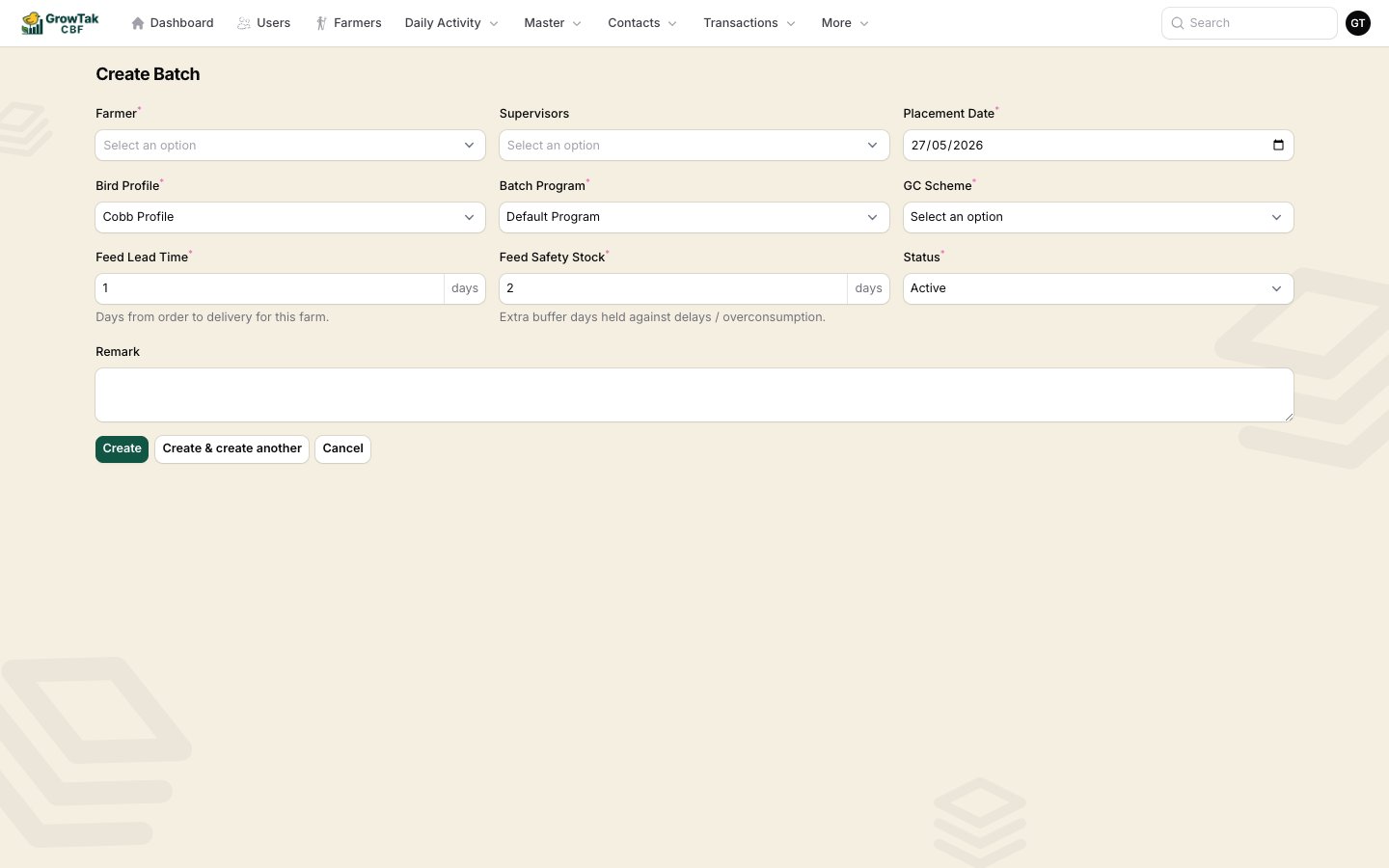 | Field | Notes |
| --------------------- | ----------------------------------------------------------------------------------------- |
| **Farmer** | The farmer who will grow the flock. Only farmers without an active batch appear. |
| **Supervisors** | One or more field staff assigned to this batch. They'll see it and record entries for it. |
| **Placement date** | The day chicks are placed — day 0 of the batch. |
| **Bird profile** | The breed standard to measure against. |
| **Batch program** | The feed/vaccine schedule to follow. |
| **GC scheme** | The contract that decides the farmer's payment. |
| **Feed lead time** | Days from ordering feed to its delivery for this farm. Used in feed projection. |
| **Feed safety stock** | Extra buffer days of feed to keep on hand against delays/over-consumption. |
| **Status** | *Active* for a running flock. |
| **Remark** | Optional notes. |
Select **Create**. GrowTak generates a unique **batch code** and opens the batch.
Creating the batch doesn't place chicks by itself. Record the actual placement with a [Bird Purchase](/transactions/bird-purchase) transaction — that sets the opening bird count and first-day weight.
## Finding batches later
The **Batches** screen lists all batches, searchable by batch code or farmer and filterable by farmer, placement date, and closed date.
| Field | Notes |
| --------------------- | ----------------------------------------------------------------------------------------- |
| **Farmer** | The farmer who will grow the flock. Only farmers without an active batch appear. |
| **Supervisors** | One or more field staff assigned to this batch. They'll see it and record entries for it. |
| **Placement date** | The day chicks are placed — day 0 of the batch. |
| **Bird profile** | The breed standard to measure against. |
| **Batch program** | The feed/vaccine schedule to follow. |
| **GC scheme** | The contract that decides the farmer's payment. |
| **Feed lead time** | Days from ordering feed to its delivery for this farm. Used in feed projection. |
| **Feed safety stock** | Extra buffer days of feed to keep on hand against delays/over-consumption. |
| **Status** | *Active* for a running flock. |
| **Remark** | Optional notes. |
Select **Create**. GrowTak generates a unique **batch code** and opens the batch.
Creating the batch doesn't place chicks by itself. Record the actual placement with a [Bird Purchase](/transactions/bird-purchase) transaction — that sets the opening bird count and first-day weight.
## Finding batches later
The **Batches** screen lists all batches, searchable by batch code or farmer and filterable by farmer, placement date, and closed date.
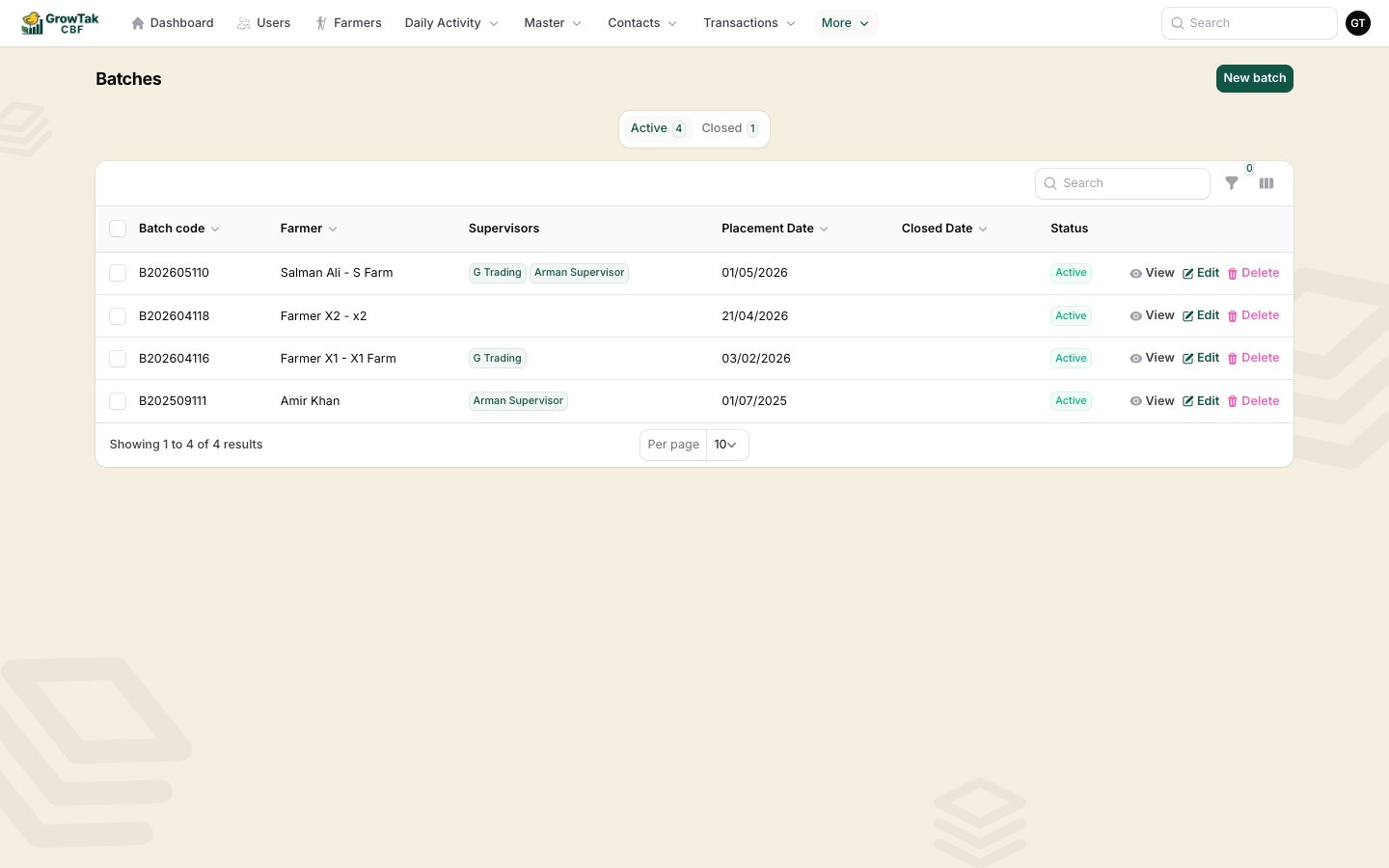 Supervisors see only their assigned batches here. Open any batch to reach its [dashboard](/farmers-batches/batch-dashboard).