> ## Documentation Index
> Fetch the complete documentation index at: https://docs-cbf.growthtak.com/llms.txt
> Use this file to discover all available pages before exploring further.
# Farmers
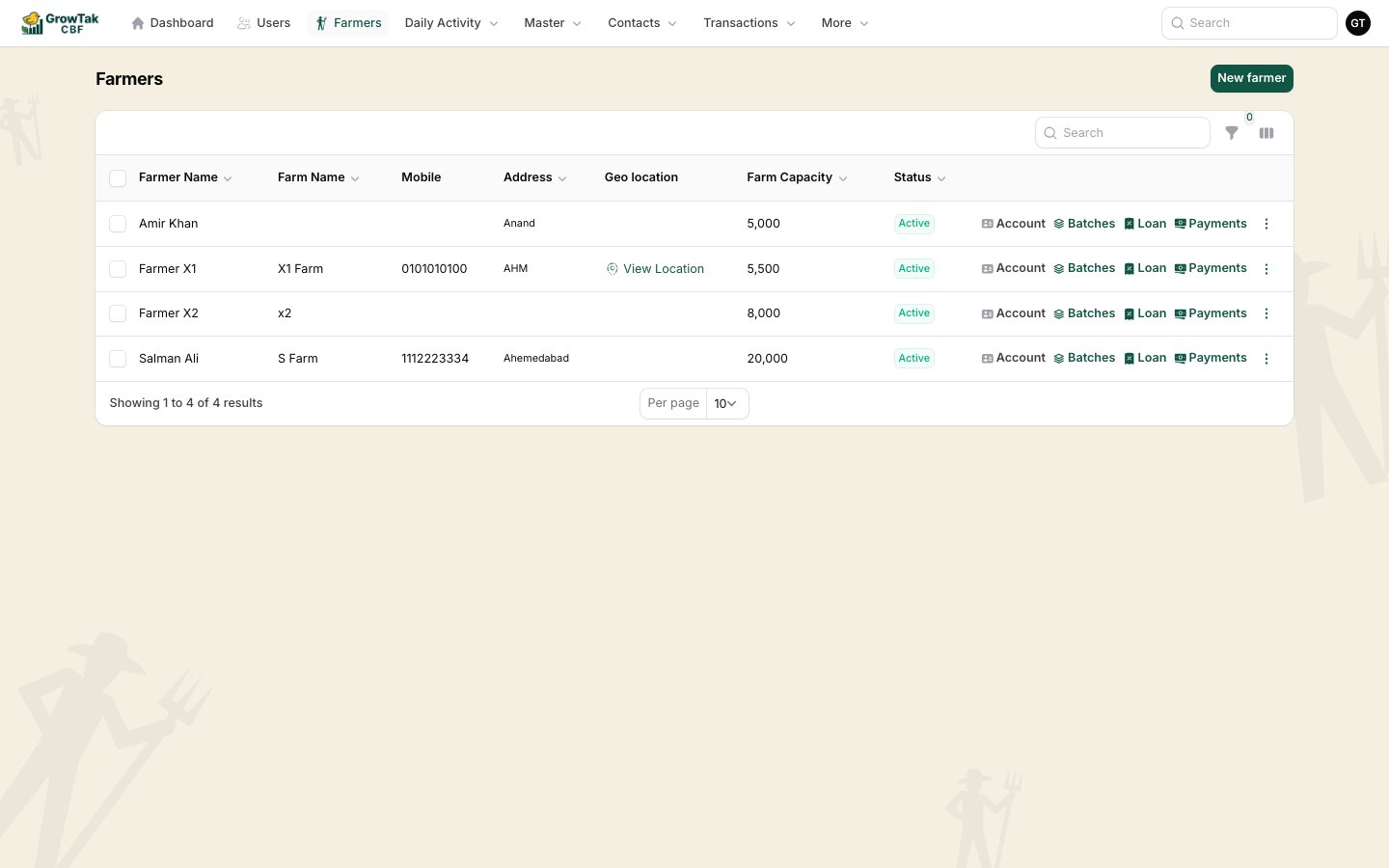
> Add farmers and use the quick actions to jump to their batch, loans, and payments.
Farmers are the heart of your operation. The **Farmers** screen (under *Contacts*) lists every farmer with quick actions that take you straight to their work.
 ## Adding a farmer
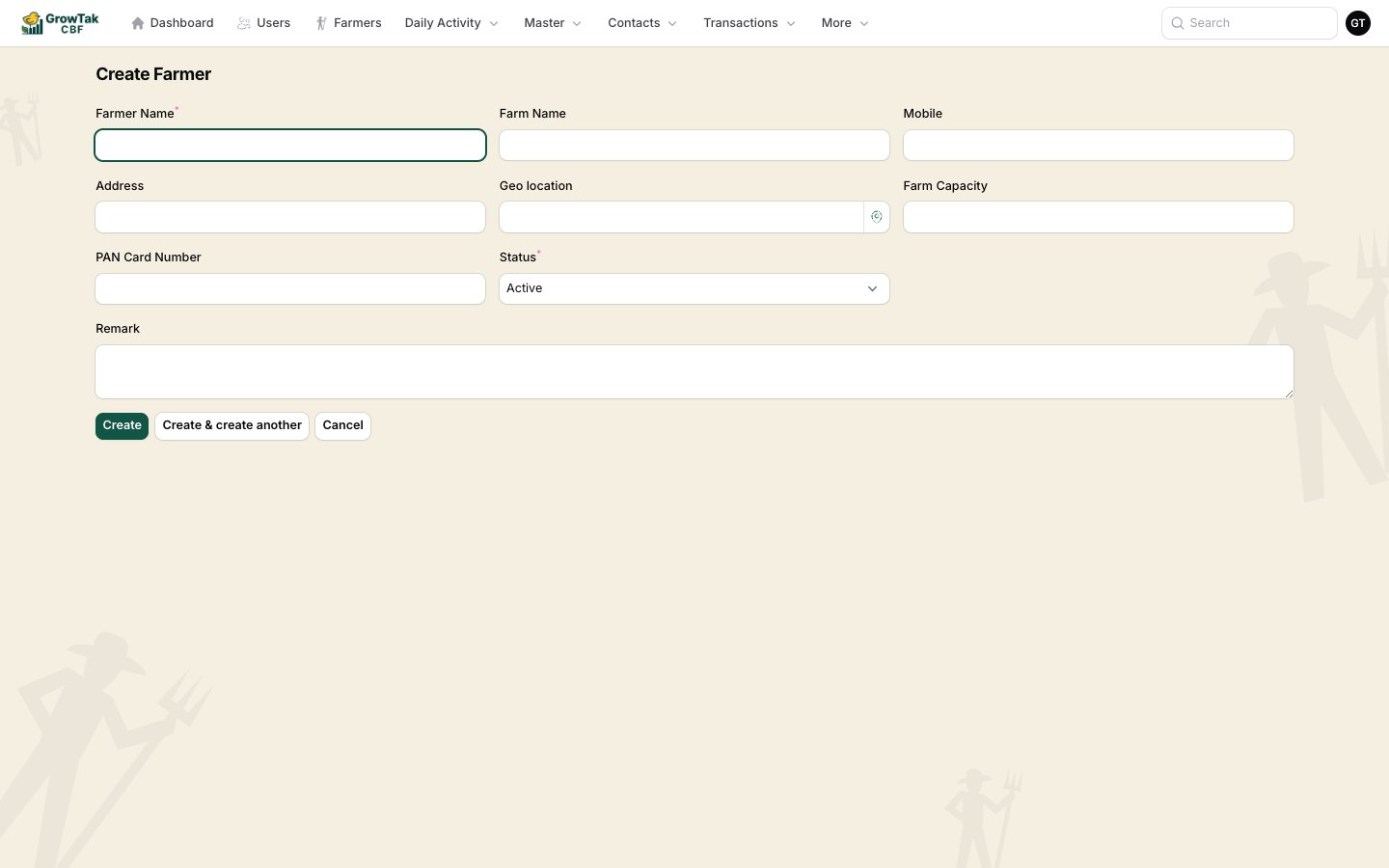
Select **New farmer** and fill in the [shared contact fields](/farmers-batches/contacts#shared-contact-fields). For farmers, two fields matter most:
* **Geo location** — set the farm's exact location so GrowTak can verify field visits. Use **Pick on map**.
* **Farm capacity** — the number of birds the farm can hold, useful when planning placements.
## Adding a farmer
Select **New farmer** and fill in the [shared contact fields](/farmers-batches/contacts#shared-contact-fields). For farmers, two fields matter most:
* **Geo location** — set the farm's exact location so GrowTak can verify field visits. Use **Pick on map**.
* **Farm capacity** — the number of birds the farm can hold, useful when planning placements.
 ## Quick actions
Each farmer row shows context-aware buttons:
| Button | When it shows | What it does |
| ------------- | ------------------------------ | ----------------------------------------------------------------- |
| **Account** | The farmer has an active batch | Opens that batch's [dashboard](/farmers-batches/batch-dashboard). |
| **New batch** | The farmer has no active batch | Starts a new batch with the farmer pre-filled. |
| **Batches** | The farmer has any batches | Lists all of the farmer's batches (past and present). |
| **Loan** | Loan module is on | Opens the farmer's loans and repayments. |
| **Payments** | Payment module is on | Opens the farmer's payment history. |
The fastest way to start a flock is from here: find the farmer and press **New batch** — the farmer is filled in for you.
## Loans if Loan module is on
When the **Loan module** is enabled in [Company Settings](/setup/company-settings), you can record money advanced to a farmer and their repayments. Each loan record has:
* **Date**, **Amount**, and **Type** (*Loan* or *Repay*).
* An optional **Batch** it relates to.
* A **Remark**.
A farmer's **outstanding** is simply total loans minus total repayments. At GC time, GrowTak can deduct an amount from the GC payment and record it as a repayment automatically — see [GC calculation](/lifting-gc/gc-calculation).
## One active batch at a time
A farmer can only have **one active batch** at any moment. When you create a batch, only farmers without an active batch are selectable. Once a batch is [closed](/lifting-gc/closing-a-batch), the farmer becomes available for a new placement.
## Quick actions
Each farmer row shows context-aware buttons:
| Button | When it shows | What it does |
| ------------- | ------------------------------ | ----------------------------------------------------------------- |
| **Account** | The farmer has an active batch | Opens that batch's [dashboard](/farmers-batches/batch-dashboard). |
| **New batch** | The farmer has no active batch | Starts a new batch with the farmer pre-filled. |
| **Batches** | The farmer has any batches | Lists all of the farmer's batches (past and present). |
| **Loan** | Loan module is on | Opens the farmer's loans and repayments. |
| **Payments** | Payment module is on | Opens the farmer's payment history. |
The fastest way to start a flock is from here: find the farmer and press **New batch** — the farmer is filled in for you.
## Loans if Loan module is on
When the **Loan module** is enabled in [Company Settings](/setup/company-settings), you can record money advanced to a farmer and their repayments. Each loan record has:
* **Date**, **Amount**, and **Type** (*Loan* or *Repay*).
* An optional **Batch** it relates to.
* A **Remark**.
A farmer's **outstanding** is simply total loans minus total repayments. At GC time, GrowTak can deduct an amount from the GC payment and record it as a repayment automatically — see [GC calculation](/lifting-gc/gc-calculation).
## One active batch at a time
A farmer can only have **one active batch** at any moment. When you create a batch, only farmers without an active batch are selectable. Once a batch is [closed](/lifting-gc/closing-a-batch), the farmer becomes available for a new placement.