> ## Documentation Index
> Fetch the complete documentation index at: https://docs-cbf.growthtak.com/llms.txt
> Use this file to discover all available pages before exploring further.
# Closing a batch
> Finish a flock's cycle, lock its records, and free the farmer for a new batch.
**Closing** a batch marks the end of a flock's cycle. You close it once the birds are sold, the [GC is calculated](/lifting-gc/gc-calculation), and the farmer has been settled.
## When to close
Close a batch only when:
* All **bird sales** (lifts) are recorded.
* **Day entries** are complete up to the last day.
* The **GC** has been calculated and saved.
* The **payment** to the farmer has been made (or scheduled).
## How to close
On the batch dashboard, select **Close Batch** (top-right) and confirm.
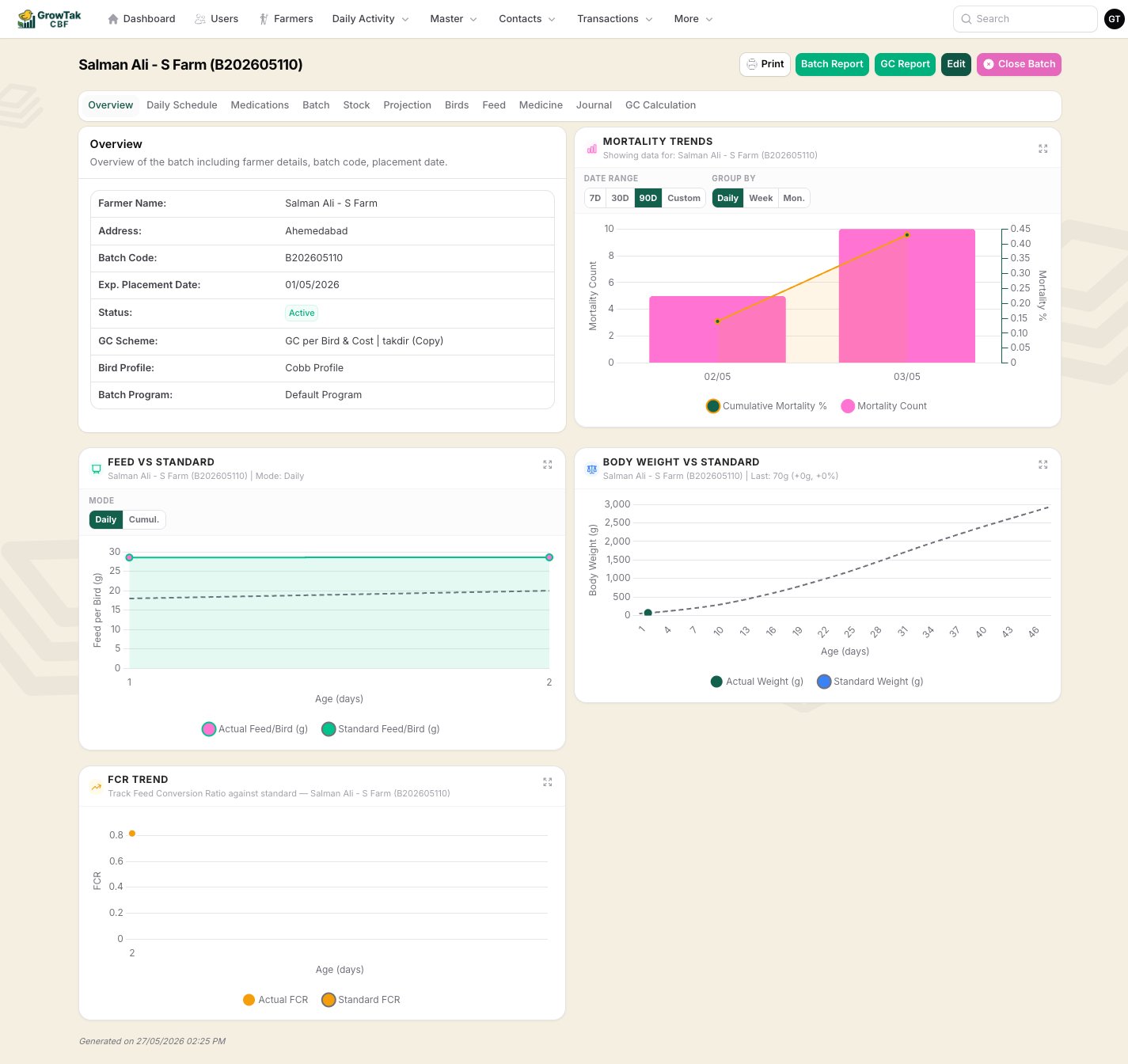 On closing, GrowTak:
* Sets the batch **status to Closed** and records the **closed date** and **who closed it**.
* **Frees the farmer** to start a new batch (a farmer can only have one active batch).
* Keeps every record intact for reporting and reference.
If you've set **Auto-Close Batch After GC Save** in [Company Settings](/setup/company-settings), batches close themselves a set number of days after their GC is saved — no manual step needed.
## Reopening a batch
Made a mistake, or need to add a late entry? Open the closed batch and select **Reopen Batch**. This sets it back to **Active**, clears the closed date, and lets you edit again. Reopen, fix, recalculate the GC if needed, then close once more.
Closed batches are **hidden** from supervisors unless they have the **See closed batch** permission. If a supervisor reports a batch "disappeared", it has likely been closed.
## After closing
A closed batch still appears in **Batches** (with admins, and supervisors who can see closed batches) and in all historical [reports](/reports/overview). Its GC paid status continues to be tracked in the [GC Paid report](/reports/gc-reports) until the payment is marked paid.
On closing, GrowTak:
* Sets the batch **status to Closed** and records the **closed date** and **who closed it**.
* **Frees the farmer** to start a new batch (a farmer can only have one active batch).
* Keeps every record intact for reporting and reference.
If you've set **Auto-Close Batch After GC Save** in [Company Settings](/setup/company-settings), batches close themselves a set number of days after their GC is saved — no manual step needed.
## Reopening a batch
Made a mistake, or need to add a late entry? Open the closed batch and select **Reopen Batch**. This sets it back to **Active**, clears the closed date, and lets you edit again. Reopen, fix, recalculate the GC if needed, then close once more.
Closed batches are **hidden** from supervisors unless they have the **See closed batch** permission. If a supervisor reports a batch "disappeared", it has likely been closed.
## After closing
A closed batch still appears in **Batches** (with admins, and supervisors who can see closed batches) and in all historical [reports](/reports/overview). Its GC paid status continues to be tracked in the [GC Paid report](/reports/gc-reports) until the payment is marked paid.