> ## Documentation Index
> Fetch the complete documentation index at: https://docs-cbf.growthtak.com/llms.txt
> Use this file to discover all available pages before exploring further.
# Lifting intents
> Plan a lift, sample bird weights, and convert it into a bird sale.
Towards the end of a cycle, birds are **lifted** (caught and taken for sale). GrowTak handles this in two steps: first a **Lifting Intent** captures the plan and weighs a sample of birds; then it's **converted** into a [Bird Sale](/lifting-gc/bird-sale). Sampling first means the sale's weight is accurate and trustworthy.
## Creating a lifting intent
Go to **Transactions → Lifting Intents → New**.
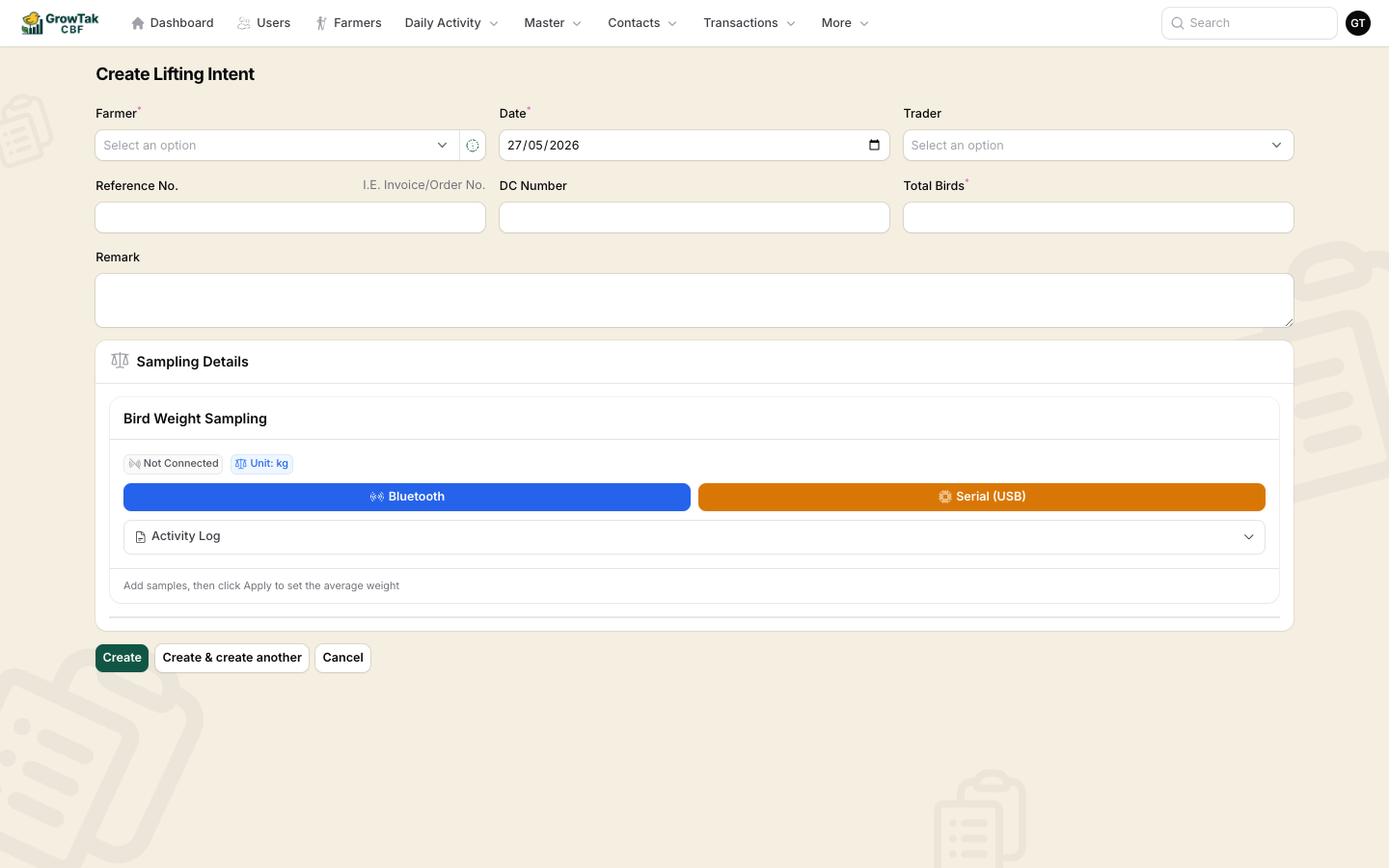 | Field | Notes |
| -------------------------------- | ----------------------------------------- |
| **Farmer / Batch** | The batch being lifted. |
| **Date** | The lift date. |
| **Trader** | The customer buying the birds. |
| **Reference No.**, **DC Number** | Document references. |
| **Total Birds** | How many birds are planned for this lift. |
| **Remark** | Optional. |
### Sampling details
In the **Bird Weight Sampling** panel, weigh a representative group of birds:
Tap **Bluetooth** or **Serial (USB)** to stream readings from a weighing scale, or enter samples by hand.
Each sample records a number of birds and their weight. The **Activity Log** lists what you've captured.
GrowTak computes the **average weight per bird** for the lift.
Save the intent. It starts with status **Open**.
## Converting to a bird sale
From the lifting intents list, an **Open** intent that has sampling data shows a **Convert** action.
| Field | Notes |
| -------------------------------- | ----------------------------------------- |
| **Farmer / Batch** | The batch being lifted. |
| **Date** | The lift date. |
| **Trader** | The customer buying the birds. |
| **Reference No.**, **DC Number** | Document references. |
| **Total Birds** | How many birds are planned for this lift. |
| **Remark** | Optional. |
### Sampling details
In the **Bird Weight Sampling** panel, weigh a representative group of birds:
Tap **Bluetooth** or **Serial (USB)** to stream readings from a weighing scale, or enter samples by hand.
Each sample records a number of birds and their weight. The **Activity Log** lists what you've captured.
GrowTak computes the **average weight per bird** for the lift.
Save the intent. It starts with status **Open**.
## Converting to a bird sale
From the lifting intents list, an **Open** intent that has sampling data shows a **Convert** action.
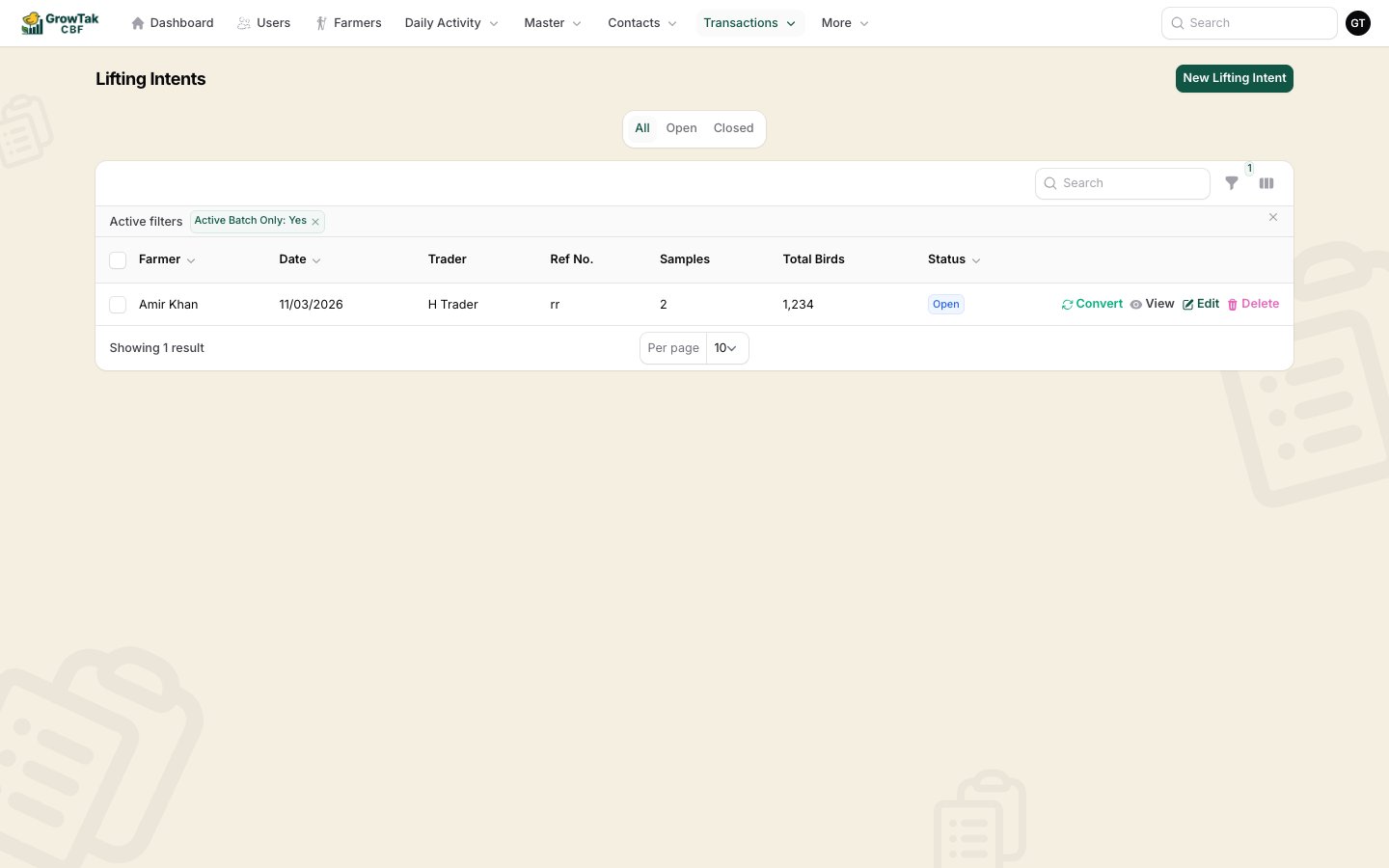 Selecting **Convert** opens a new [Bird Sale](/lifting-gc/bird-sale) pre-filled from the intent — including the sampled **average weight**, so the total weight is calculated for you rather than typed.
## Status & locking
| Status | Meaning |
| ---------- | ------------------------------------- |
| **Open** | Editable; can be converted. |
| **Closed** | A bird sale has been created from it. |
Creating the bird sale **closes** the intent (and locks it from editing). If you delete that bird sale, the intent re-opens so it can be used again.
Lifting often happens in several catches over a few days. Create one intent per catch so each is weighed and sold accurately.
Selecting **Convert** opens a new [Bird Sale](/lifting-gc/bird-sale) pre-filled from the intent — including the sampled **average weight**, so the total weight is calculated for you rather than typed.
## Status & locking
| Status | Meaning |
| ---------- | ------------------------------------- |
| **Open** | Editable; can be converted. |
| **Closed** | A bird sale has been created from it. |
Creating the bird sale **closes** the intent (and locks it from editing). If you delete that bird sale, the intent re-opens so it can be used again.
Lifting often happens in several catches over a few days. Create one intent per catch so each is weighed and sold accurately.