> ## Documentation Index
> Fetch the complete documentation index at: https://docs-cbf.growthtak.com/llms.txt
> Use this file to discover all available pages before exploring further.
# Payments & loans
> Record money paid to and from contacts, settle GC, and track farmer loans.
The **Payments** screen appears only when the **Payment module** is enabled in [Company Settings](/setup/company-settings). Loans need the **Loan module**.
GrowTak can track the money flowing between you and your contacts — paying farmers their GC, paying suppliers, receiving from traders, and recovering loans.
## Recording a payment
Go to **Transactions → Payments → New**.
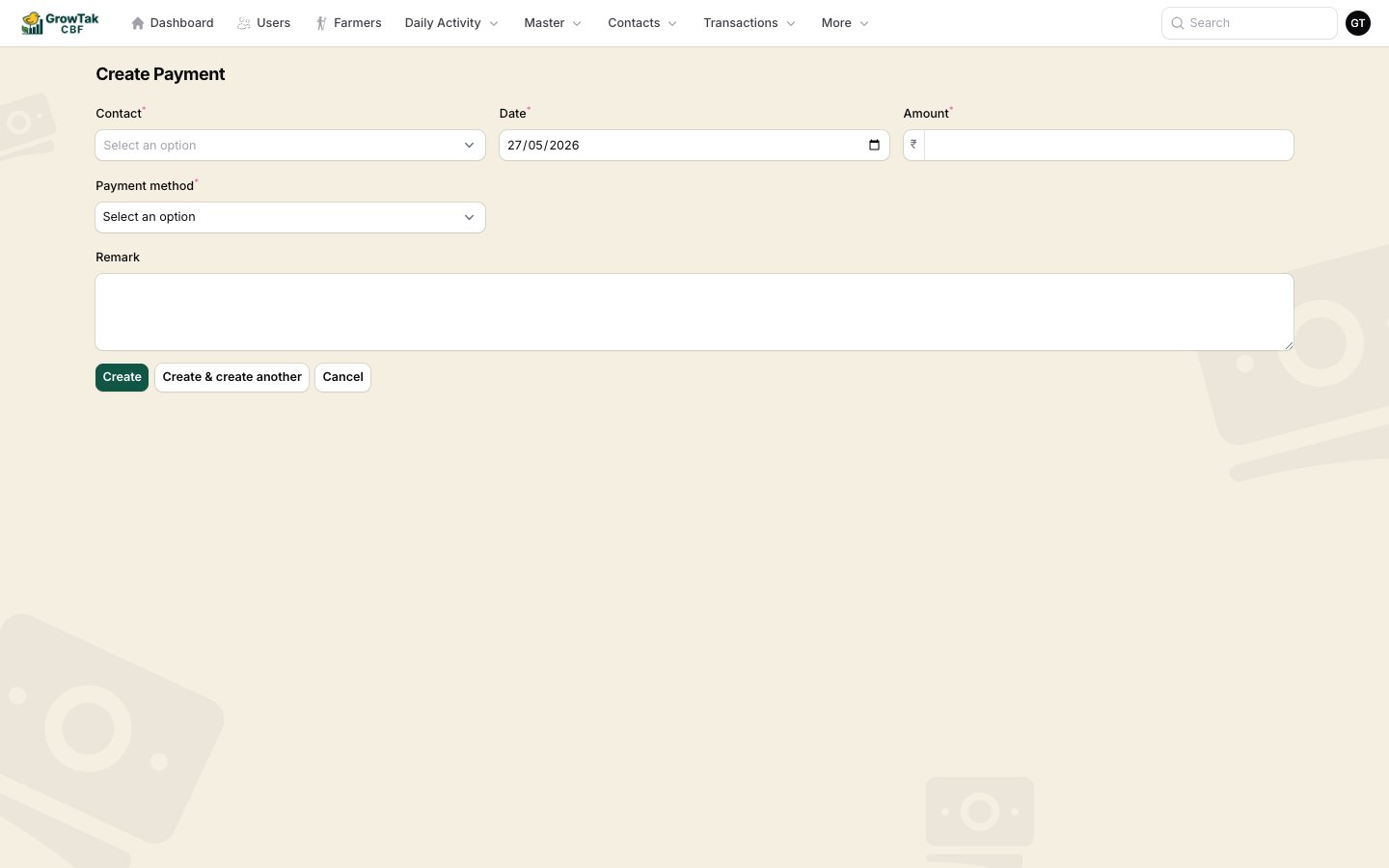 | Field | Notes |
| ------------------------- | ---------------------------------------------------------------------------------------------------------- |
| **Contact** | The farmer, supplier, or trader. |
| **Date** | Defaults to today. |
| **Amount** | The payment amount (₹). |
| **Payment method** | *Cash*, *Bank Transfer*, *Cheque*, or *UPI*. |
| **Reference number** | Shown for cheque/bank/UPI — the cheque no., UTR, etc. |
| **Batch** | *(Farmers)* optionally link the payment to a batch, e.g. a GC settlement. |
| **Loan deduction amount** | *(Farmers)* part of the payment that repays a loan rather than being paid out. Must not exceed the amount. |
| **Remark** | Optional. |
A payment's **direction** is automatic — money **in** from a trader (customer), money **out** to a farmer or supplier.
## Receipts
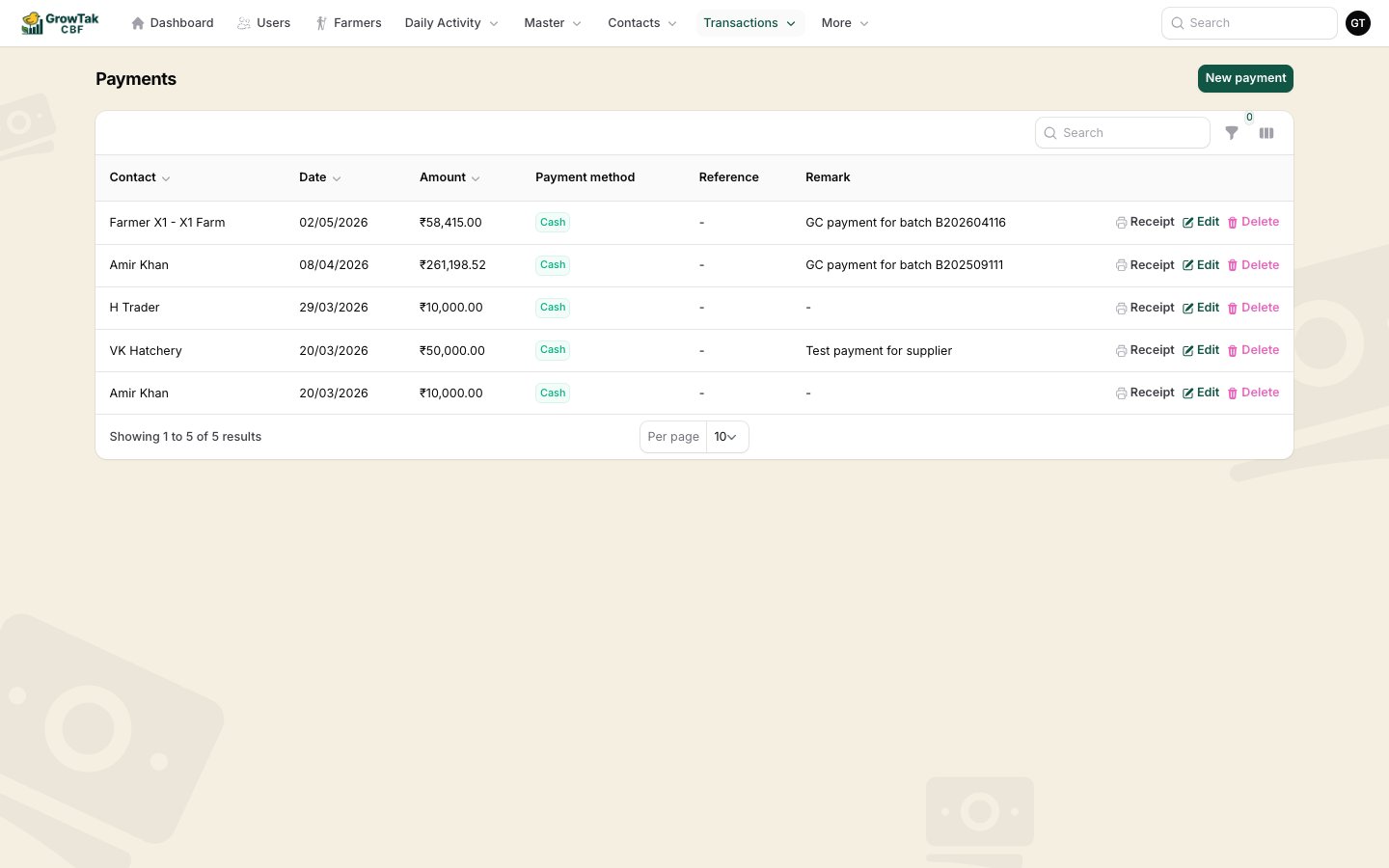
Each payment can print a **Receipt** (the printer action in the list), showing your company header, the contact, amount, method, reference, and any linked batch/loan deduction.
| Field | Notes |
| ------------------------- | ---------------------------------------------------------------------------------------------------------- |
| **Contact** | The farmer, supplier, or trader. |
| **Date** | Defaults to today. |
| **Amount** | The payment amount (₹). |
| **Payment method** | *Cash*, *Bank Transfer*, *Cheque*, or *UPI*. |
| **Reference number** | Shown for cheque/bank/UPI — the cheque no., UTR, etc. |
| **Batch** | *(Farmers)* optionally link the payment to a batch, e.g. a GC settlement. |
| **Loan deduction amount** | *(Farmers)* part of the payment that repays a loan rather than being paid out. Must not exceed the amount. |
| **Remark** | Optional. |
A payment's **direction** is automatic — money **in** from a trader (customer), money **out** to a farmer or supplier.
## Receipts
Each payment can print a **Receipt** (the printer action in the list), showing your company header, the contact, amount, method, reference, and any linked batch/loan deduction.
 ## Loans & repayments
With the **Loan module** on, you can advance money to farmers and track it:
* A **Loan** record increases what the farmer owes.
* A **Repay** record (or a payment's **loan deduction**, or a [GC](/lifting-gc/gc-calculation) deduction) reduces it.
* A farmer's **outstanding** is total loans − total repayments.
When you save a GC with a **Payment Deduction**, GrowTak creates the matching repayment automatically, so the loan balance always reflects GC recoveries.
## Settling the GC
After [calculating and saving a batch's GC](/lifting-gc/gc-calculation), pay the farmer the **GC payable**. You can:
* Record a **payment** to the farmer linked to the batch, **or**
* Use **Mark as paid** on the [GC Paid report](/reports/gc-reports), which records the GC payment and sets the batch's GC status to **Paid**.
Reconcile regularly with the **Outstanding** and **Loan** [reports](/reports/financial-reports) so you always know what's owed to and by each contact.
## Loans & repayments
With the **Loan module** on, you can advance money to farmers and track it:
* A **Loan** record increases what the farmer owes.
* A **Repay** record (or a payment's **loan deduction**, or a [GC](/lifting-gc/gc-calculation) deduction) reduces it.
* A farmer's **outstanding** is total loans − total repayments.
When you save a GC with a **Payment Deduction**, GrowTak creates the matching repayment automatically, so the loan balance always reflects GC recoveries.
## Settling the GC
After [calculating and saving a batch's GC](/lifting-gc/gc-calculation), pay the farmer the **GC payable**. You can:
* Record a **payment** to the farmer linked to the batch, **or**
* Use **Mark as paid** on the [GC Paid report](/reports/gc-reports), which records the GC payment and sets the batch's GC status to **Paid**.
Reconcile regularly with the **Outstanding** and **Loan** [reports](/reports/financial-reports) so you always know what's owed to and by each contact.