> ## Documentation Index
> Fetch the complete documentation index at: https://docs-cbf.growthtak.com/llms.txt
> Use this file to discover all available pages before exploring further.
# Reports overview
> How GrowTak reports work — filters, exports, and the four report families.
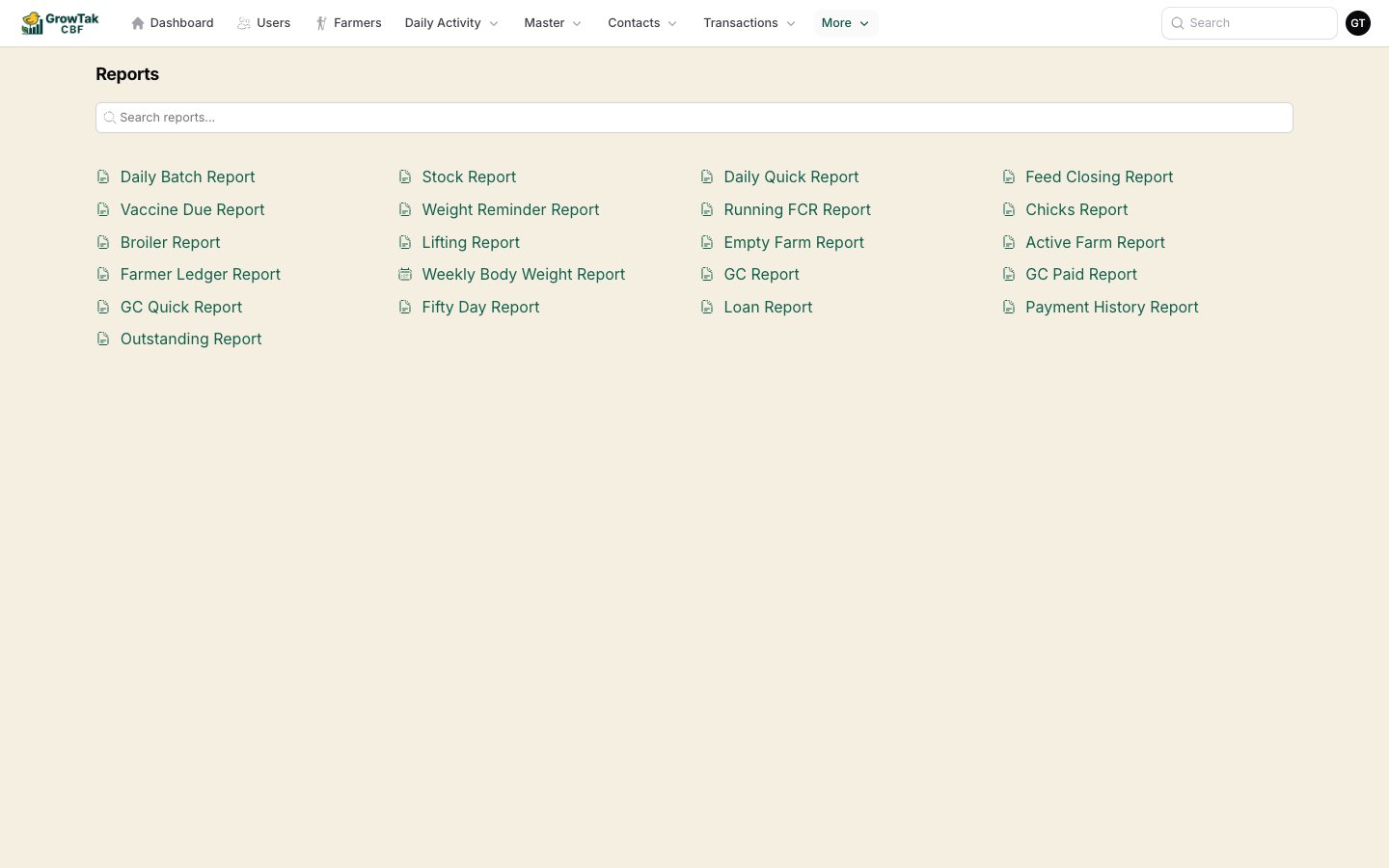
GrowTak ships with **20+ reports** covering production, GC, finances, and operations. Open them from **More → Reports**.
 ## How every report works
Reports share the same simple layout:
## How every report works
Reports share the same simple layout:
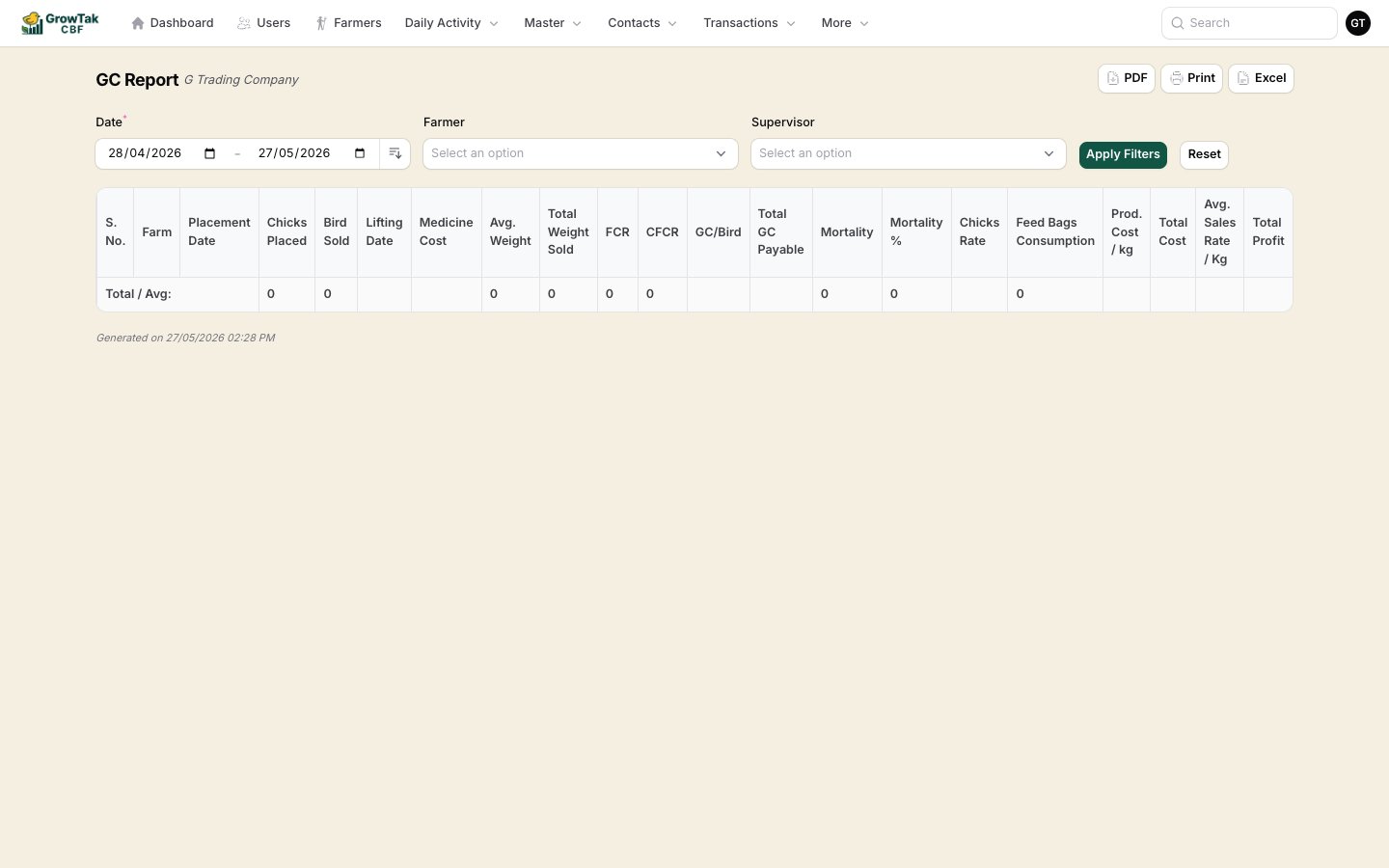 * **Filters** at the top — commonly a **date range**, **farmer**, and (for admins) a **supervisor** filter. Set them and press **Apply Filters**; **Reset** clears them.
* **Export actions** top-right:
* **PDF** — a print-ready PDF with your company header (landscape for wide reports).
* **Print** — send straight to a printer.
* **Excel** — download the table for your own analysis.
* A **results table**, often with a **Total / Average** row.
Supervisors see only their **assigned batches** in every report. Admins can narrow any report to one supervisor using the **Supervisor** filter.
## The four report families
Day-to-day flock performance — daily logs, FCR, weights, stock, and feed closing.
Grower-contract profitability, payment status, and lifting summaries.
Payments, loans, outstanding balances, and the transaction ledger.
Active and idle farms, vaccine due, weight reminders, and the farm map.
* **Filters** at the top — commonly a **date range**, **farmer**, and (for admins) a **supervisor** filter. Set them and press **Apply Filters**; **Reset** clears them.
* **Export actions** top-right:
* **PDF** — a print-ready PDF with your company header (landscape for wide reports).
* **Print** — send straight to a printer.
* **Excel** — download the table for your own analysis.
* A **results table**, often with a **Total / Average** row.
Supervisors see only their **assigned batches** in every report. Admins can narrow any report to one supervisor using the **Supervisor** filter.
## The four report families
Day-to-day flock performance — daily logs, FCR, weights, stock, and feed closing.
Grower-contract profitability, payment status, and lifting summaries.
Payments, loans, outstanding balances, and the transaction ledger.
Active and idle farms, vaccine due, weight reminders, and the farm map.