> ## Documentation Index
> Fetch the complete documentation index at: https://docs-cbf.growthtak.com/llms.txt
> Use this file to discover all available pages before exploring further.
# Menu builder
> Customise the navigation menu — reorder, rename, hide items, and add your own links.
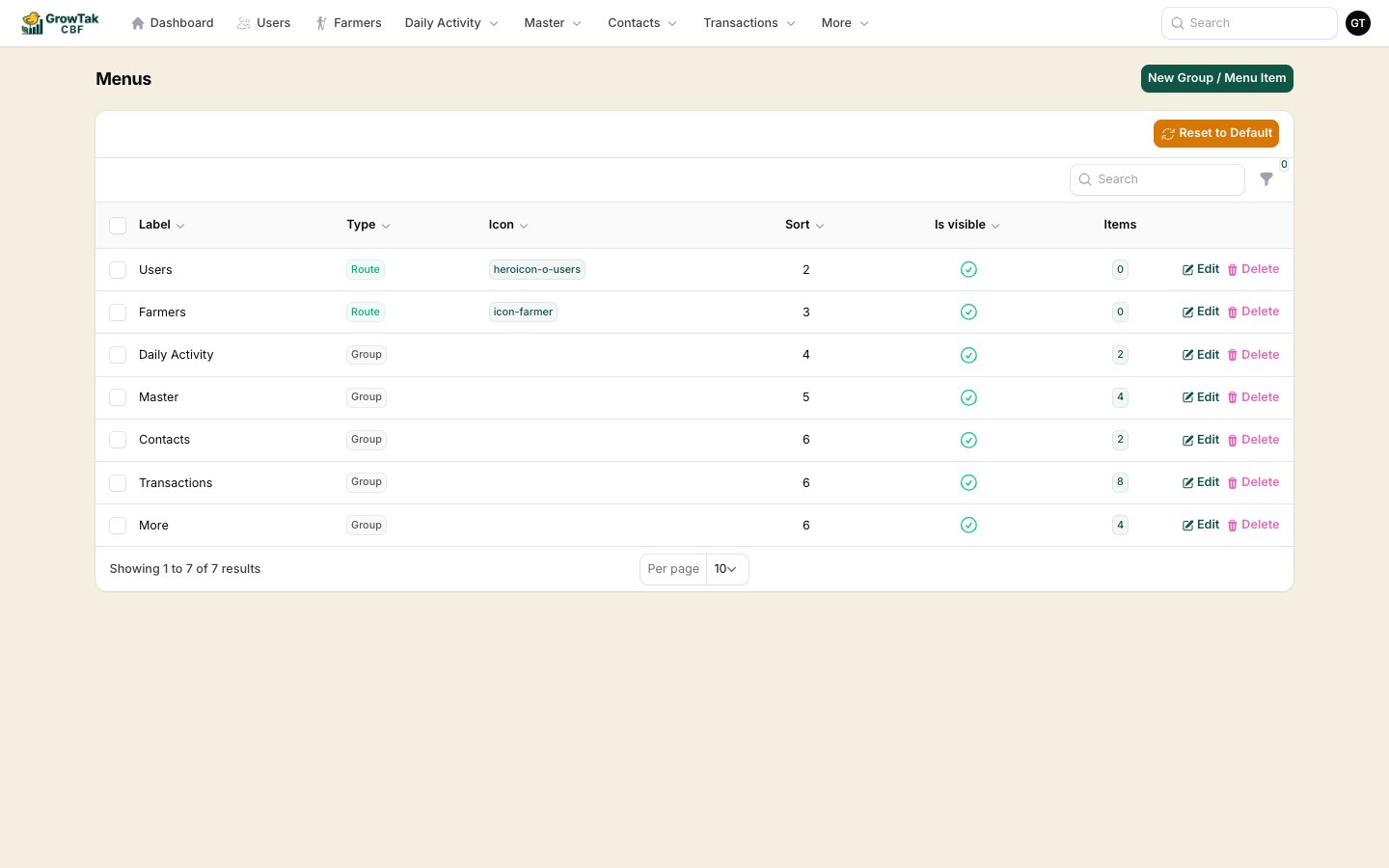
The Menu Builder is **admin only**. Find it under **More → Menu Builder**.
The Menu Builder lets you tailor the navigation menu to how your company works — rename groups, change the order, hide items you don't use, and add your own shortcuts.
 ## Menu item types
| Type | Use it for |
| --------- | --------------------------------------------------------- |
| **Group** | A heading that holds child items (e.g. *Daily Activity*). |
| **Route** | A link to a screen inside GrowTak (e.g. *Day Entries*). |
| **Link** | A link to any external URL. |
## Editing the menu
Each item has:
* **Label** — the text shown in the menu.
* **Icon** — an optional icon name.
* **Sort** — a number that sets the order (lower numbers first).
* **Visible** — toggle to show or hide the item.
* **Open in new tab** — for external links.
* For a **Group**, a child-items table where you add the routes/links it contains (groups can't be nested inside groups).
Permissions still apply. Even if a route is in the menu, a user who lacks permission for that screen won't see it — so you can safely keep one menu for everyone.
## Reset to default
Made a mess? The **Reset to default** button on the Menu Builder restores GrowTak's standard menu for your company. You'll be asked to confirm, because it replaces your current menu.
Resetting discards your customisations and rebuilds the default menu. Use it only when you want to start over.
## Menu item types
| Type | Use it for |
| --------- | --------------------------------------------------------- |
| **Group** | A heading that holds child items (e.g. *Daily Activity*). |
| **Route** | A link to a screen inside GrowTak (e.g. *Day Entries*). |
| **Link** | A link to any external URL. |
## Editing the menu
Each item has:
* **Label** — the text shown in the menu.
* **Icon** — an optional icon name.
* **Sort** — a number that sets the order (lower numbers first).
* **Visible** — toggle to show or hide the item.
* **Open in new tab** — for external links.
* For a **Group**, a child-items table where you add the routes/links it contains (groups can't be nested inside groups).
Permissions still apply. Even if a route is in the menu, a user who lacks permission for that screen won't see it — so you can safely keep one menu for everyone.
## Reset to default
Made a mess? The **Reset to default** button on the Menu Builder restores GrowTak's standard menu for your company. You'll be asked to confirm, because it replaces your current menu.
Resetting discards your customisations and rebuilds the default menu. Use it only when you want to start over.