> ## Documentation Index
> Fetch the complete documentation index at: https://docs-cbf.growthtak.com/llms.txt
> Use this file to discover all available pages before exploring further.
# Products & units
> Define the chicks, feed grades, and medicines you buy, sell, feed, and transfer.
Managing products is **admin only**. Find it under **Master → Products**.
A **product** is anything that moves through GrowTak — chicks, a feed grade, or a medicine. Every transaction, medication, and program line refers to a product, so it's worth setting these up carefully.
## The three product types
Products are split into three **system types**, shown as tabs at the top of the Products screen:
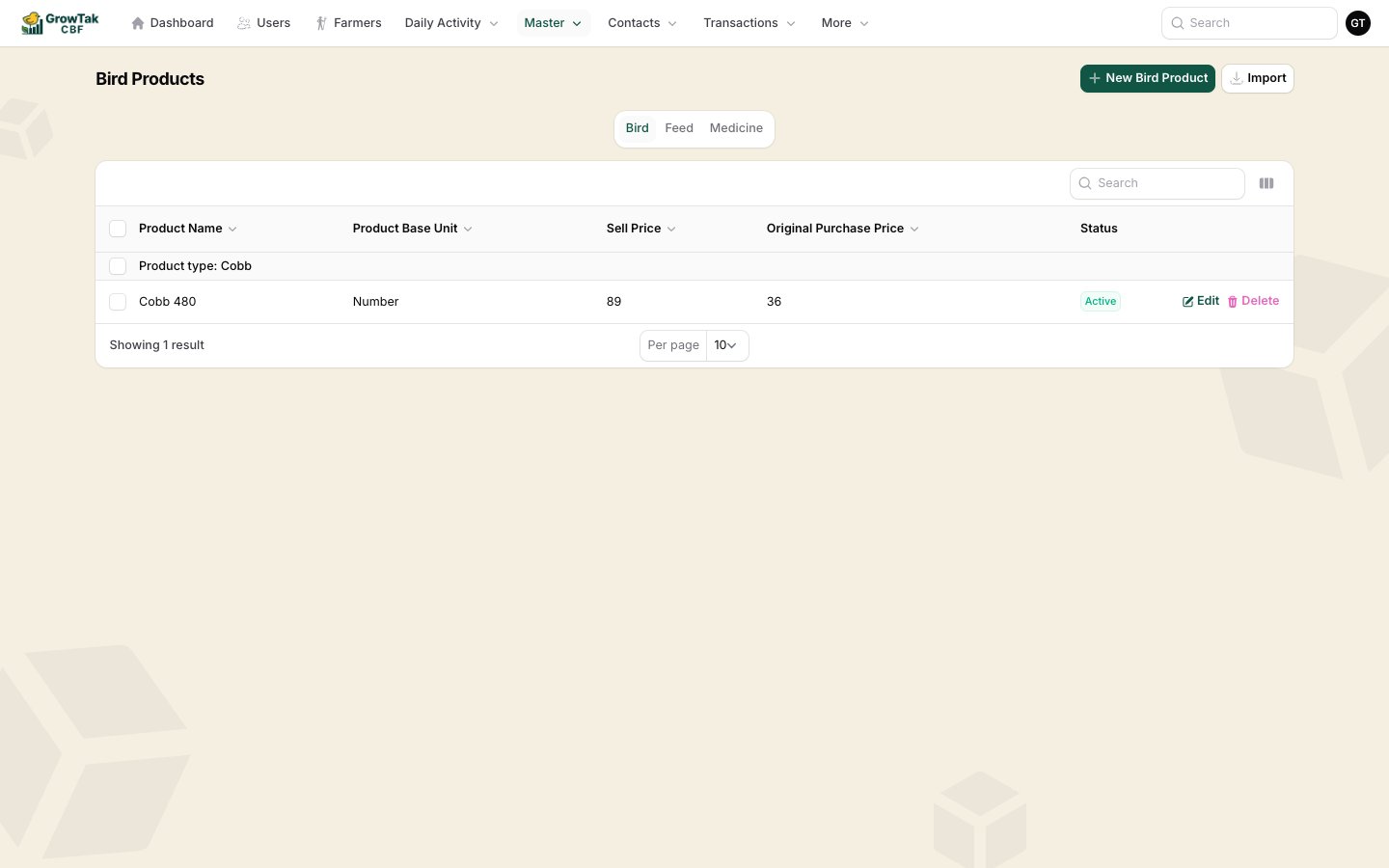 The chick/bird products you place and sell (e.g. *Cobb 480*).
Each feed grade (Pre-Starter, Starter, Grower, Finisher).
Vaccines and medicines.
## Creating a product
Pick the right tab, then select **New … Product**.
The chick/bird products you place and sell (e.g. *Cobb 480*).
Each feed grade (Pre-Starter, Starter, Grower, Finisher).
Vaccines and medicines.
## Creating a product
Pick the right tab, then select **New … Product**.
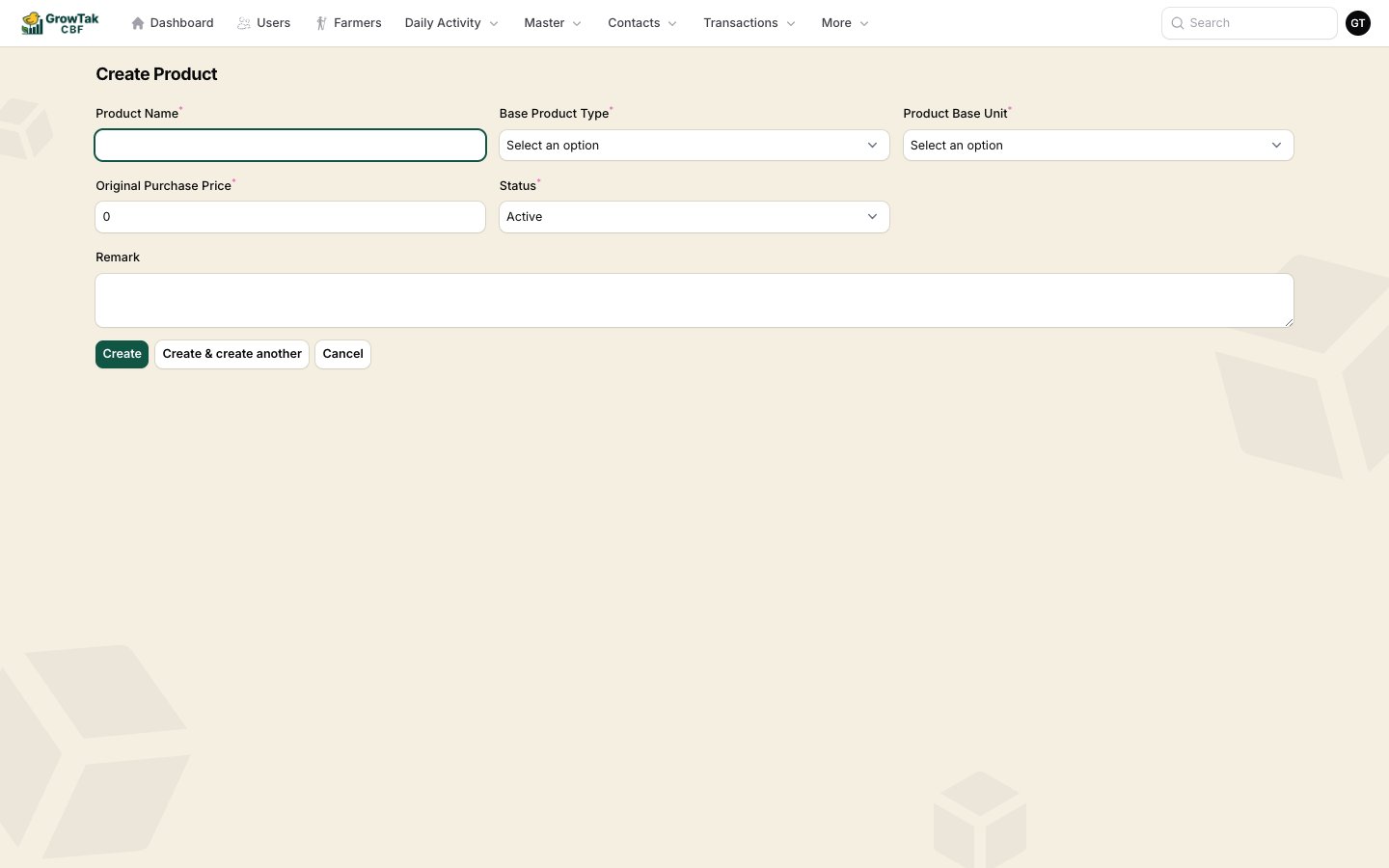 | Field | Notes |
| ----------------------------- | ------------------------------------------------------------------------------- |
| **Name** | The product name, e.g. *Broiler Starter*. |
| **Product type** | A category within the system type (used for grouping). |
| **Base unit** | The unit this product is measured in — e.g. *Number* for birds, *Bag* for feed. |
| **Sell price** | Used for bird products. |
| **(Original) Purchase price** | The default buying price, used to pre-fill transaction rates. |
| **Status** | *Active* products appear in dropdowns; *Inactive* ones are hidden. |
| **Remark** | Optional notes. |
Prices here are only **defaults** that pre-fill new transactions. You can always change the rate on an individual purchase or sale.
## Units
Each product has a **base unit**, and units can convert into one another (for example **1 Bag = 50 kg = 50,000 g**). GrowTak ships your company with a standard set of weight, volume, and count units, so feed entered in *bags* on one screen and *kg* on another is reconciled correctly behind the scenes.
You normally don't need to touch units — just choose the right one on each product. When you enter feed or weight elsewhere in GrowTak, the unit dropdown shows the converted size in brackets (e.g. *Bag (50,000.000 Gram)*) so there's no ambiguity.
## Importing products
The **Import** button on the Products screen lets you bulk-load products from a spreadsheet — handy when first setting up.
## Deleting a product
A product **cannot be deleted** once it has been used in any transaction, medication, or program. This protects your historical records. Set it to **Inactive** instead to hide it from new entries while keeping past data intact.
| Field | Notes |
| ----------------------------- | ------------------------------------------------------------------------------- |
| **Name** | The product name, e.g. *Broiler Starter*. |
| **Product type** | A category within the system type (used for grouping). |
| **Base unit** | The unit this product is measured in — e.g. *Number* for birds, *Bag* for feed. |
| **Sell price** | Used for bird products. |
| **(Original) Purchase price** | The default buying price, used to pre-fill transaction rates. |
| **Status** | *Active* products appear in dropdowns; *Inactive* ones are hidden. |
| **Remark** | Optional notes. |
Prices here are only **defaults** that pre-fill new transactions. You can always change the rate on an individual purchase or sale.
## Units
Each product has a **base unit**, and units can convert into one another (for example **1 Bag = 50 kg = 50,000 g**). GrowTak ships your company with a standard set of weight, volume, and count units, so feed entered in *bags* on one screen and *kg* on another is reconciled correctly behind the scenes.
You normally don't need to touch units — just choose the right one on each product. When you enter feed or weight elsewhere in GrowTak, the unit dropdown shows the converted size in brackets (e.g. *Bag (50,000.000 Gram)*) so there's no ambiguity.
## Importing products
The **Import** button on the Products screen lets you bulk-load products from a spreadsheet — handy when first setting up.
## Deleting a product
A product **cannot be deleted** once it has been used in any transaction, medication, or program. This protects your historical records. Set it to **Inactive** instead to hide it from new entries while keeping past data intact.