

The GC Calculation tab on the batch dashboard needs the Journal & GC permission. It’s normally an admin task at the end of a batch.
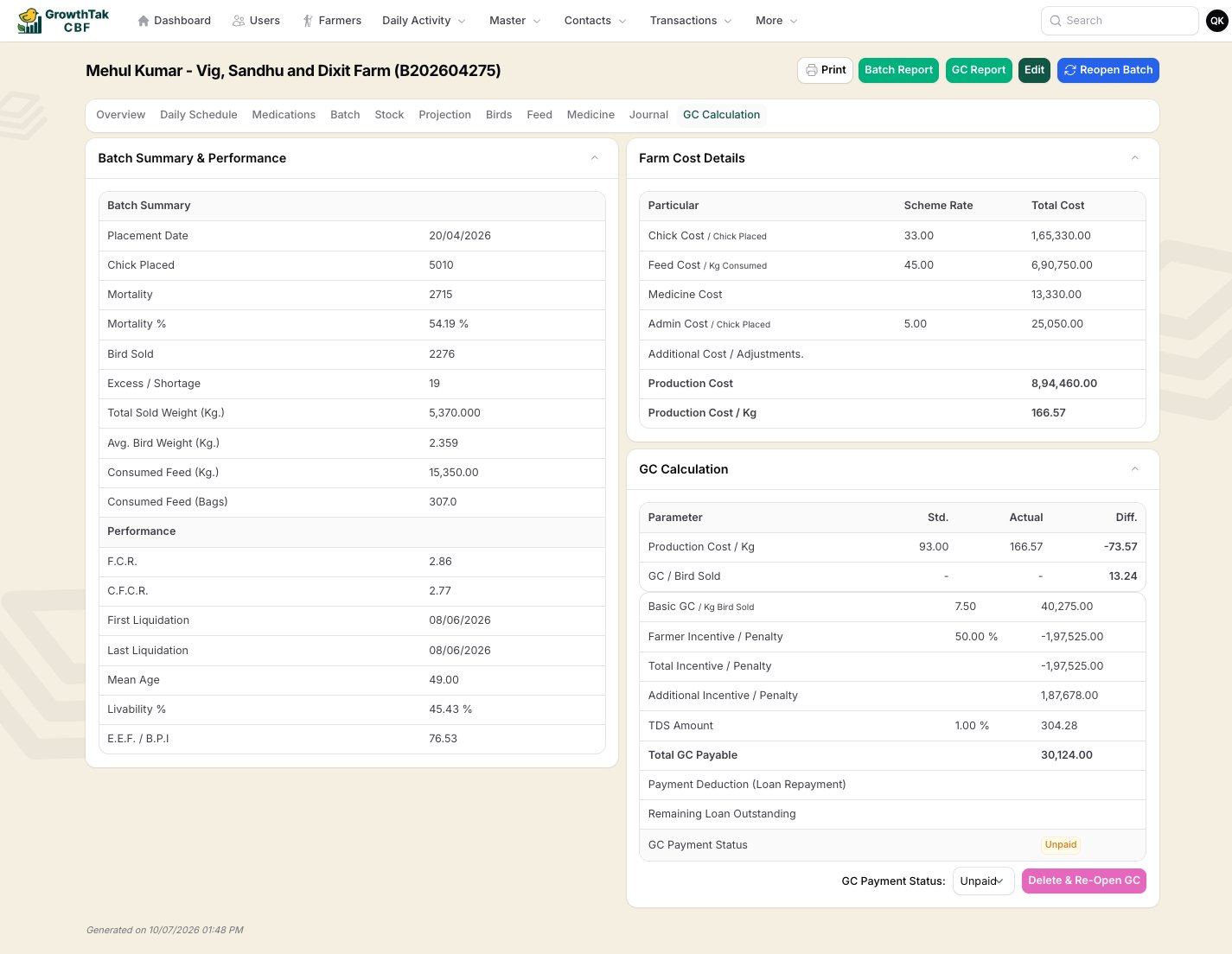
The GC Calculation tab — performance, cost breakdown, and the GC worksheet.
What the tab shows
Batch Summary & Performance — the final figures for the flock: chicks placed, mortality and %, birds sold, total/average weight, consumed feed, FCR, CFCR, liquidation dates, mean age, and livability. Farm Cost Details — the cost build-up: chick cost, feed cost, medicine cost, admin cost, optional additional adjustments, and the resulting production cost (total and per kg). Scheme rate and actual total are shown side by side. GC Calculation — the worksheet itself:- A parameters block comparing Std., Actual, and Diff. for production cost/kg, FCR, mortality %, and GC/bird.
- A component breakdown — each line of the payment (base rate, incentives, bonus, TDS, loading charge, and any batch-specific components), with its amount.
- Total GC Payable — the bottom line.
- Payment Deduction (Loan Repayment) — optionally deduct an amount that the farmer owes; this records a repayment against their loan.
- Remaining Loan Outstanding — what’s still owed after the deduction.
Live preview (Advanced schemes)
For Advanced-mode schemes, a Live Preview recalculates the worksheet as data changes, so you can see the result before committing. You can also Add Batch Component — a one-off formula component that applies to this batch only (for an ad-hoc adjustment) without changing the shared scheme.Saving the GC
1
Review the figures
Check the performance, costs, and each component line.
2
Set any loan deduction
If the farmer has an outstanding loan, enter the amount to recover in Payment Deduction.
3
Save GC
Press Save GC. GrowthTak CBF stores the calculation against the batch, and — if you set a deduction — records a loan repayment automatically.