These reports cover the money side of each batch — what the Grower Contract works out to, whether it’s been paid, and the details of every lift.

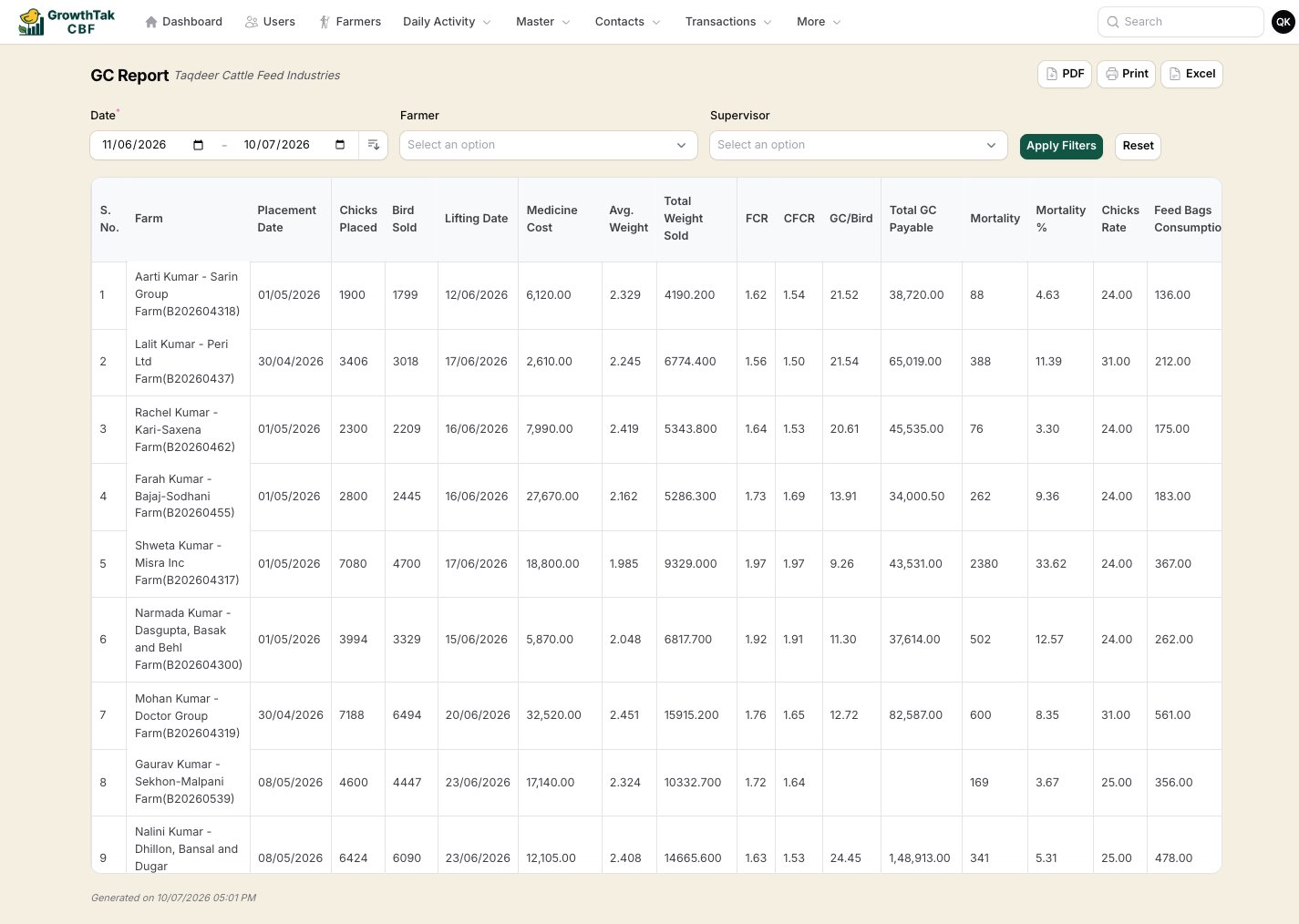
GC Report

The full profitability view per batch: birds placed/sold, lifting date, mortality, average weight, total weight sold, FCR and CFCR, chick rate, feed bags consumed, GC per bird, total GC payable, production cost/kg, sale rate/kg, total cost (with GC), sales amount, and profit/loss.
GC report
Filters: date range, farmer, supervisor. Exports: PDF (landscape), Print, Excel. Use it for: the definitive view of how profitable each closed batch was.

GC Paid Report

Tracks the payment status of each batch’s GC — total GC payable, any loan deduction, paid / unpaid status, and the date paid.
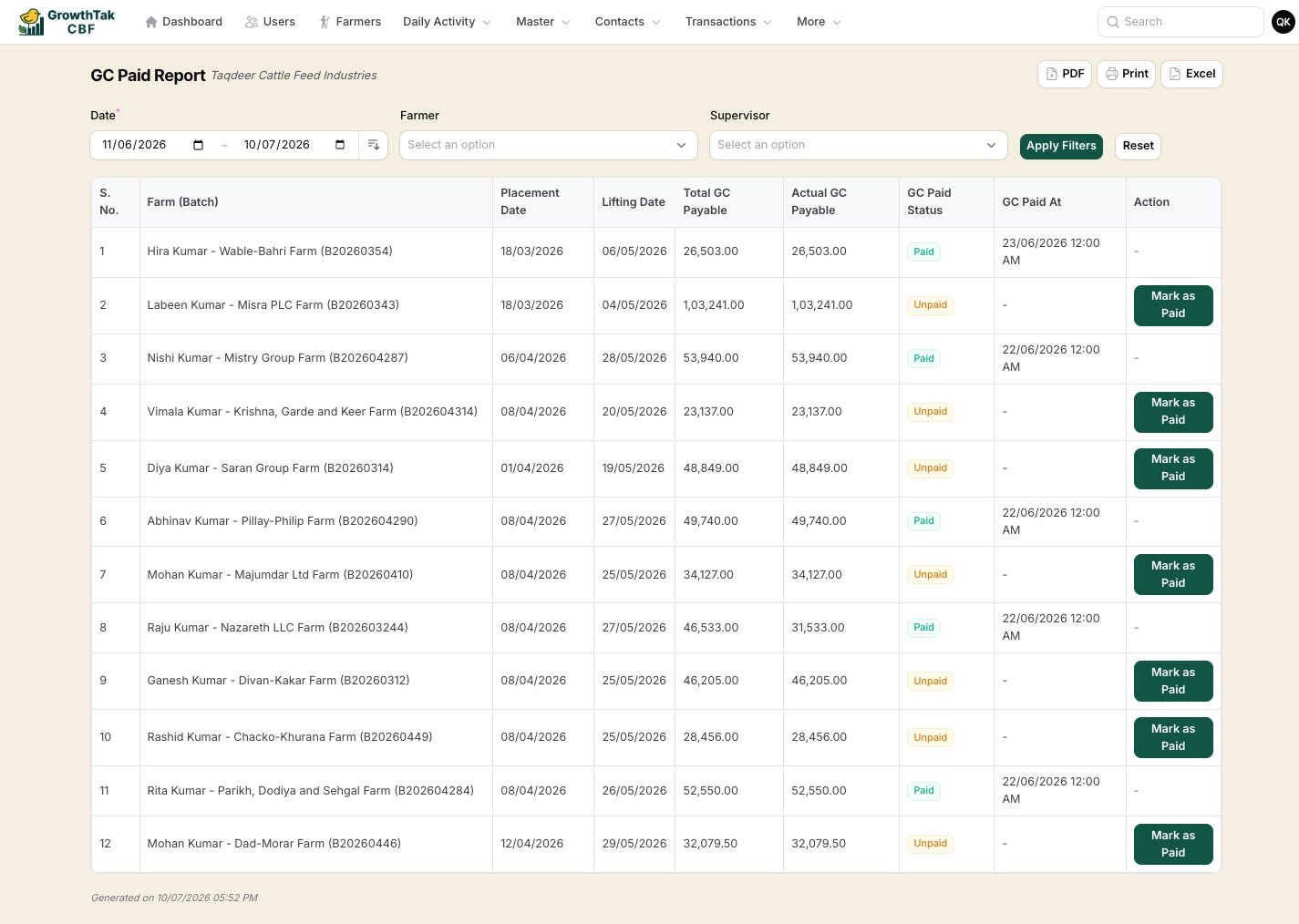
GC paid report
This report includes a Mark as paid action: it records the GC payment to the farmer and flips the batch’s GC status to Paid. Use it for: managing the GC settlement queue.

GC Quick Report

A condensed GC summary — batch, farmer, total GC, and GC per bird — for a fast overview without the full cost detail.

Lifting Report

Per-lift detail for a chosen month: birds sold, total and average weight, FCR/CFCR, feed consumed, sale rate, and the scheme cost build-up.
Run the GC Report after closing a batch to confirm its profitability, then work the GC Paid Report to settle farmers and keep paid/unpaid status clean.