

Managing products is admin only. Find it under Master → Products.
A product is anything that moves through GrowTak — chicks, a feed grade, or a medicine. Every transaction, medication, and program line refers to a product, so it’s worth setting these up carefully.

The three product types

Products are split into three system types, shown as tabs at the top of the Products screen:
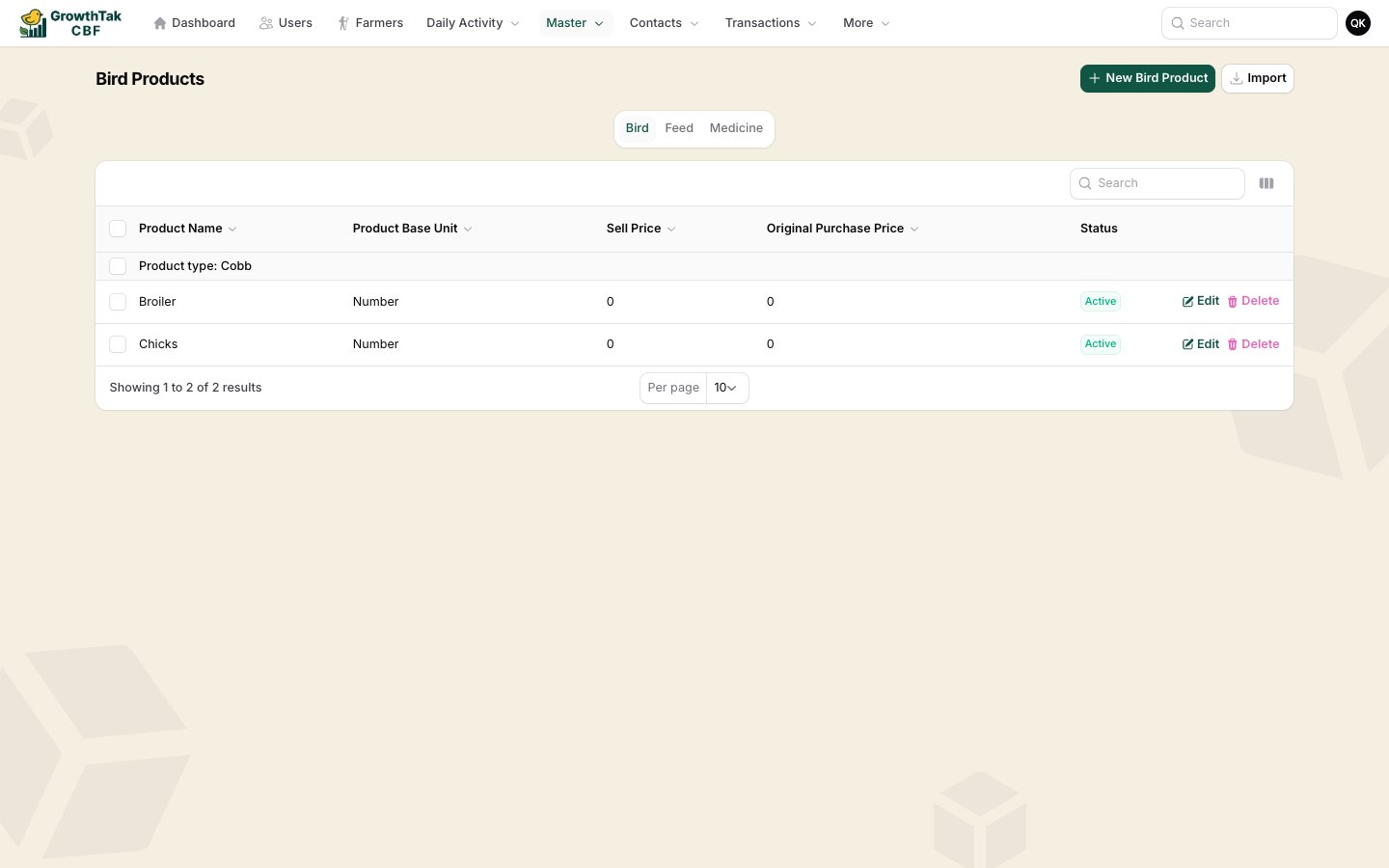
Products list

Bird

The chick/bird products you place and sell (e.g. Cobb 480).

Feed

Each feed grade (Pre-Starter, Starter, Grower, Finisher).

Medicine

Vaccines and medicines.

Creating a product

Pick the right tab, then select New … Product.
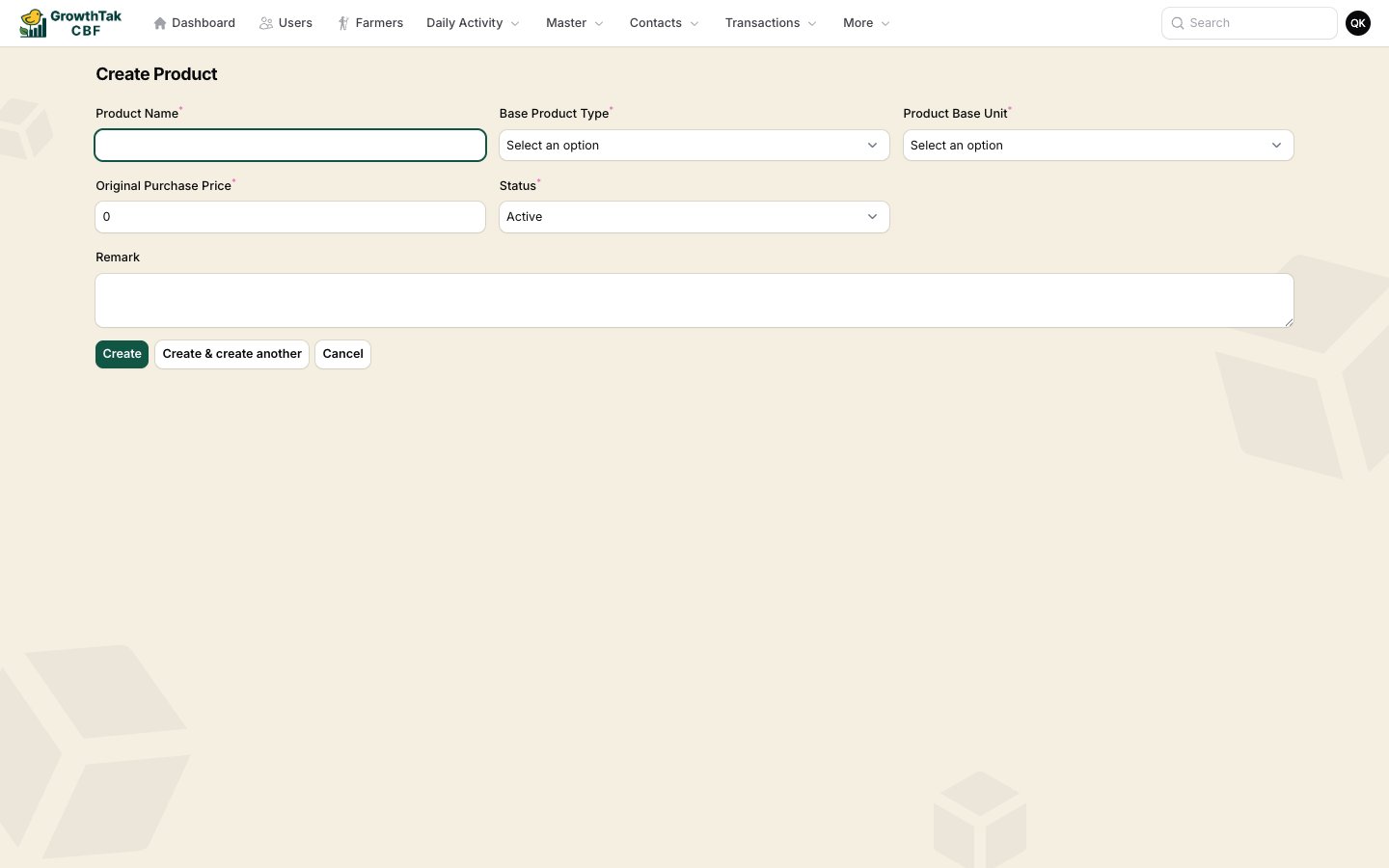
Create product form
FieldNotes
NameThe product name, e.g. Broiler Starter.
Product typeA category within the system type (used for grouping).
Base unitThe unit this product is measured in — e.g. Number for birds, Bag for feed.
Sell priceUsed for bird products.
(Original) Purchase priceThe default buying price, used to pre-fill transaction rates.
StatusActive products appear in dropdowns; Inactive ones are hidden.
RemarkOptional notes.
Prices here are only defaults that pre-fill new transactions. You can always change the rate on an individual purchase or sale.

Units

Each product has a base unit, and units can convert into one another (for example 1 Bag = 50 kg = 50,000 g). GrowTak ships your company with a standard set of weight, volume, and count units, so feed entered in bags on one screen and kg on another is reconciled correctly behind the scenes. You normally don’t need to touch units — just choose the right one on each product. When you enter feed or weight elsewhere in GrowTak, the unit dropdown shows the converted size in brackets (e.g. Bag (50,000.000 Gram)) so there’s no ambiguity.

Importing products

The Import button on the Products screen lets you bulk-load products from a spreadsheet — handy when first setting up.

Deleting a product

A product cannot be deleted once it has been used in any transaction, medication, or program. This protects your historical records. Set it to Inactive instead to hide it from new entries while keeping past data intact.