Everyone you deal with in GrowTak is a contact, and there are three kinds:

Farmers

Grow your birds. Each farmer can run many batches over time, but only one active batch at a time.

Suppliers

Sell you chicks, feed, or medicine. Chosen on purchase transactions.

Traders

Buy your grown birds (the customer). Chosen on bird sales.
They share the same details and live under the Contacts menu (Farmers and Suppliers), with Traders nearby. Farmers have a couple of extra fields and quick actions, covered in Farmers.

Shared contact fields

FieldNotes
NameThe person’s name.
Farm / Company / Contact nameThe secondary name — Farm Name for a farmer, contact person for a supplier, etc.
MobilePhone number — also powers the Call and WhatsApp shortcuts in the list.
AddressFree text.
Geo locationLatitude/longitude of the farm. Used to check how far a day entry was captured from the farm. Use Pick on map to set it.
Farm capacity / limitThe farm’s bird capacity (farmers).
PAN card numberFarmer tax ID (stored in upper case).
StatusActive or Inactive.
RemarkOptional notes.

Working with the list

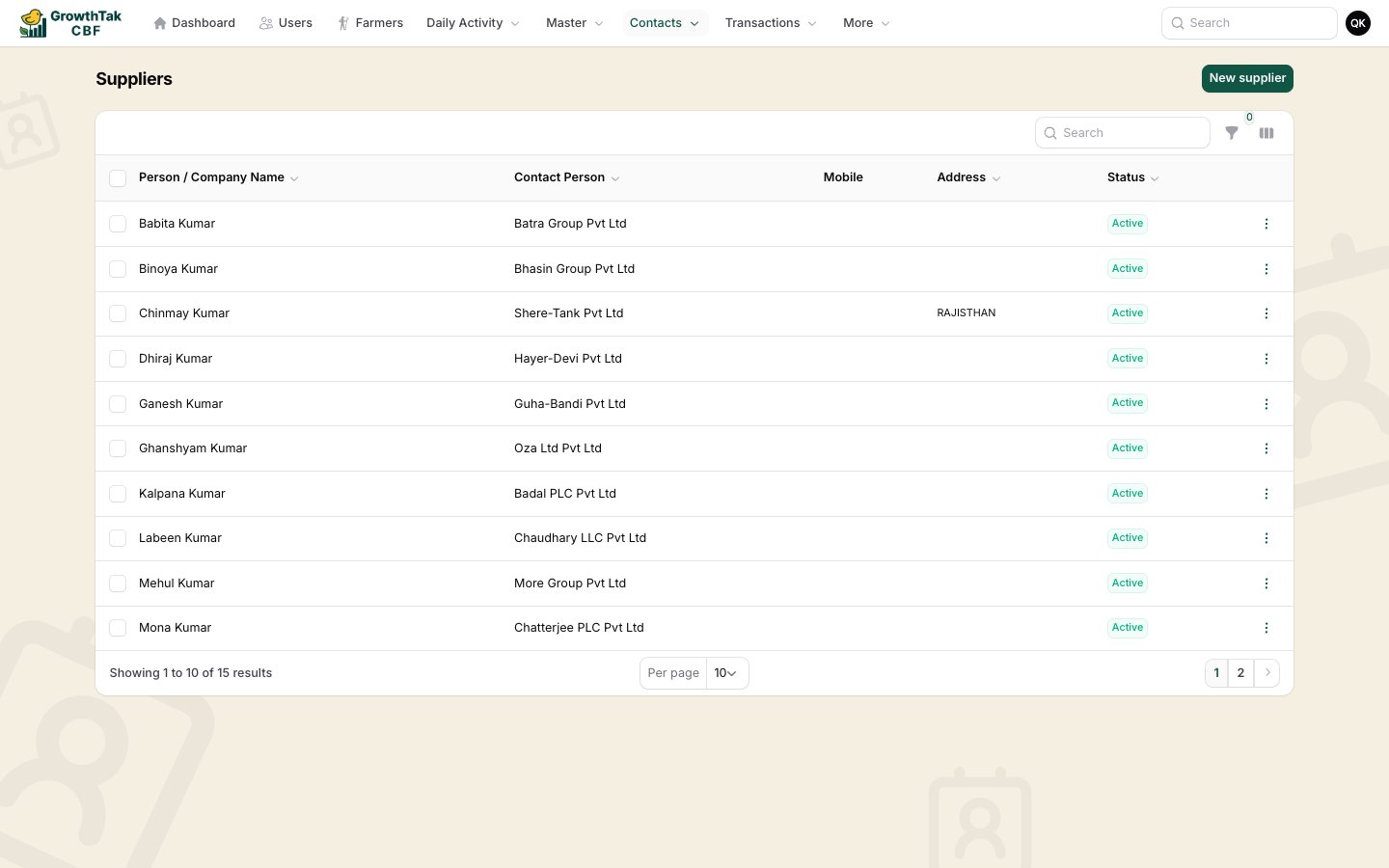
Suppliers list
From the contact list you can:
  • Search and filter (e.g. by status, or farm-capacity range for farmers).
  • View, Edit, or Delete a contact.
  • Call (opens the dialler) or Chat (opens WhatsApp) using the saved mobile number.
  • On mobile, the list switches to easy-to-tap cards.
A contact cannot be deleted once it’s linked to history — a farmer with batches/loans/payments, a supplier with purchases, or a trader with sales. Mark them Inactive instead.