

Day entries are the supervisor’s main job . Find them under Daily Activity → Day Entries.
Creating a day entry
Select New day entry.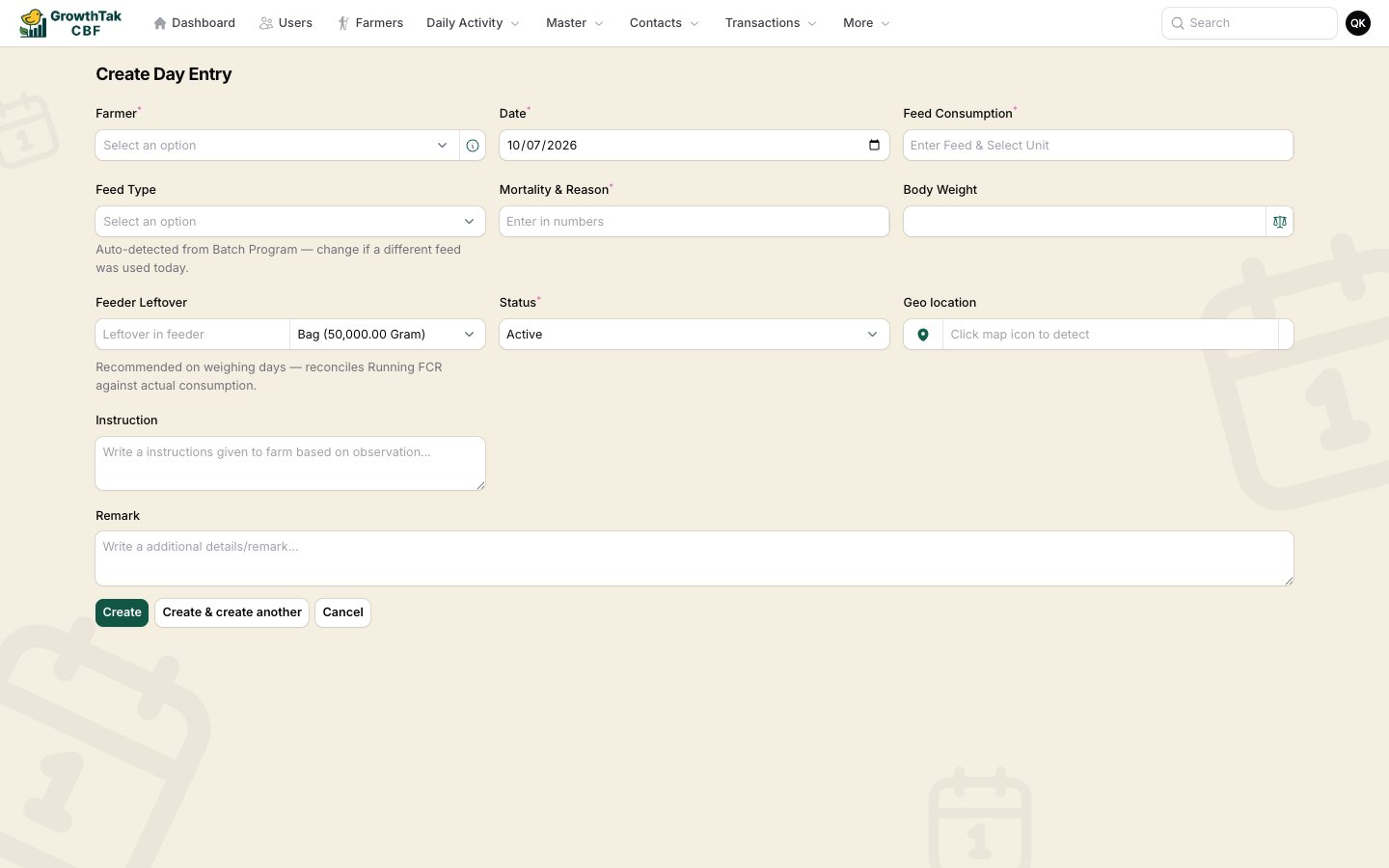
The day entry form.
1
Pick the Farmer (batch)
Choose the batch. Use the View details button beside it to see a quick stock/bird summary without leaving the form. On a new entry, GrowthTak CBF sets the date to the day after the batch’s last entry and pre-selects the likely feed type.
2
Confirm the Date
Defaults sensibly; it can’t be in the future, and you can’t have two entries for the same batch on the same date.
3
Enter Feed Consumption
Type the amount of feed eaten and pick its unit (e.g. Bag). If you enter feed, the Feed Type becomes required.
4
Check the Feed Type
Pre-selected from the batch program for the flock’s age. Change it only if a different feed was actually used that day.
5
Enter Mortality & reason
The count of birds that died/were removed (required), plus a reason (Sick, Disease, Fat Death, Killed, Removed, Other, Unknown).
6
Enter Body Weight (on weighing days)
Record the average weight and unit. See Body weight & sampling — on a weighing day this is required.
7
Record Feeder Leftover (recommended on weighing days)
Feed left in the feeders, so consumption — and therefore FCR — reconciles to what was actually eaten.
8
Add notes & save
Optionally add an Observation, Instruction, photo Attachment, and Remark, then Create.
Field reference
Why feeder leftover matters
Feed is usually issued in whole bags, but birds rarely finish exactly a bag a day. Recording feeder leftover lets GrowthTak CBF subtract uneaten feed so the Running FCR reflects real consumption rather than what was issued.Editing & importing
- The Day Entries list shows farmer, date, mortality (with reason), feed, feed type, body weight, weight source, observation/instruction, status, and — when GPS is on — a geo status badge.
- On mobile the list becomes tap-friendly cards.
- Admins can bulk-import day entries from a spreadsheet (farmer name, date, mortality, feed in bags, body weight in kg, remark).
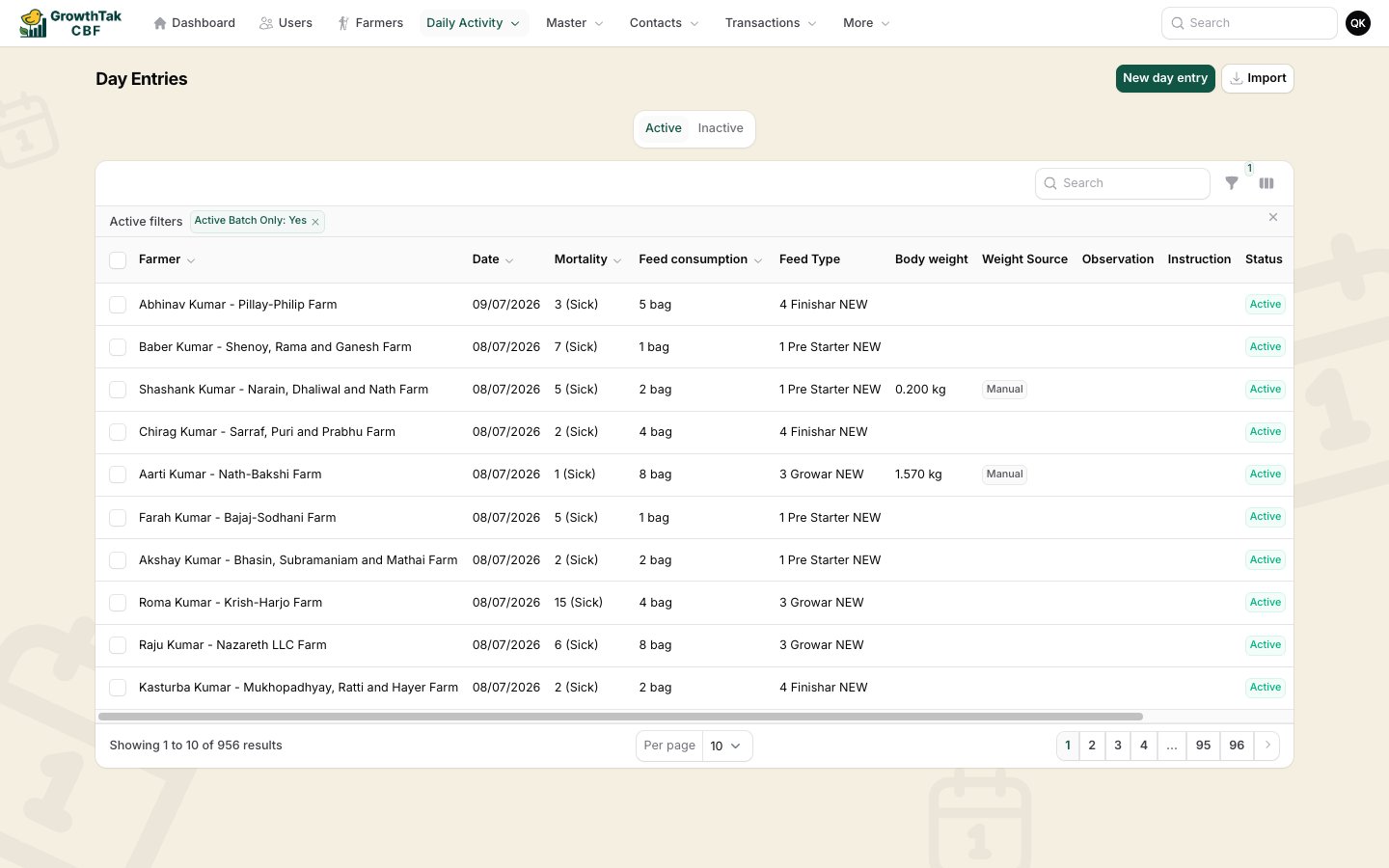
The Day Entries list.