

Managing bird profiles is admin only. Find it under Master → Product Profiles.
What a profile contains
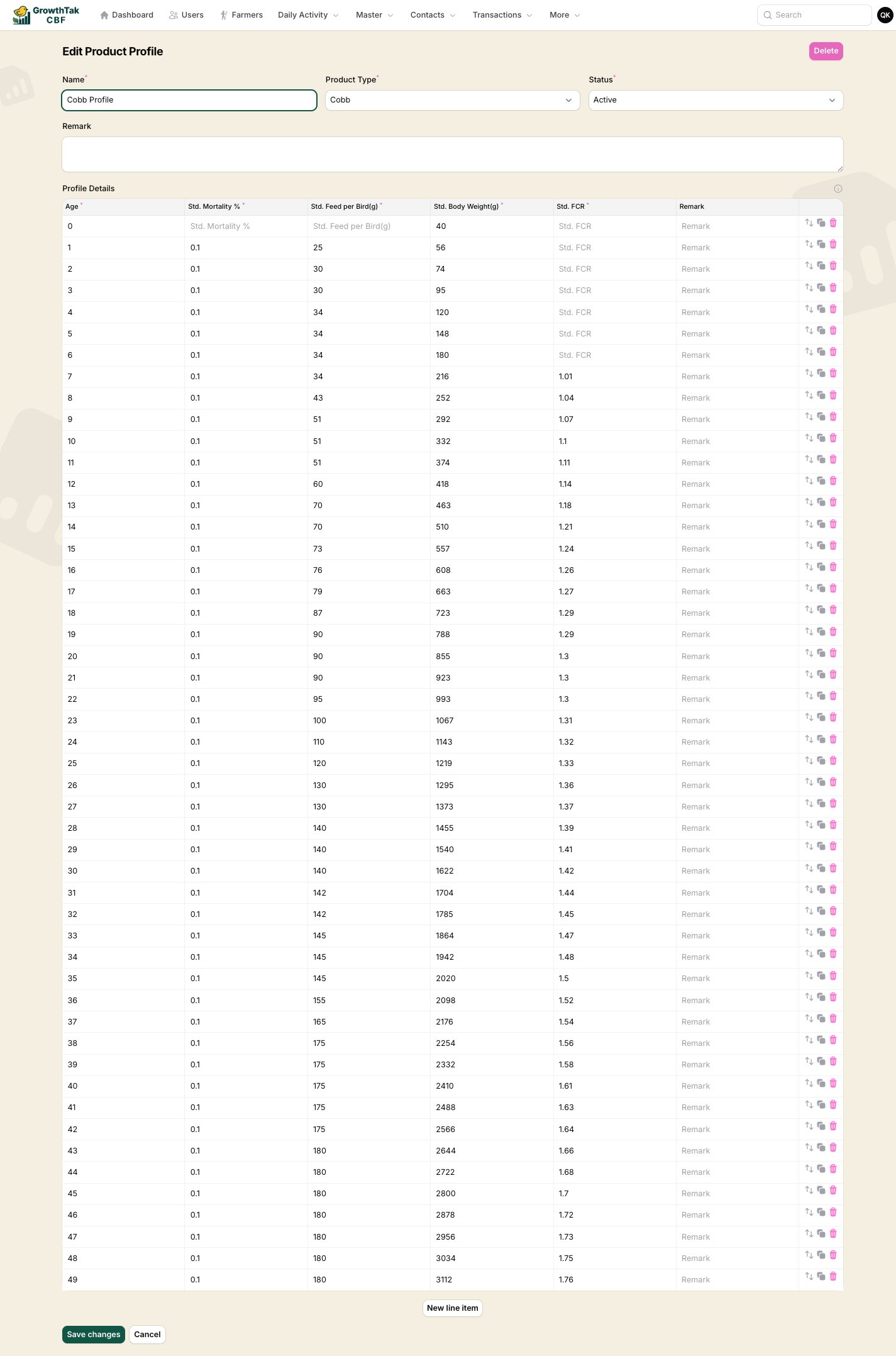
Editing a bird profile — one row per day of age.
Profile details — one row per day of age:
Editing the curve
- Add or remove rows to match the length of your growing cycle.
- Use the clone and reorder controls on each row to build the table quickly.
- Enter realistic, breed-specific figures — every “vs standard” chart and the FCR variance used in advanced GC schemes depends on these numbers.