

Managing batch programs is admin only. Find it under Master → Batch Programs.
- Project feed demand ahead of time (so you can order feed before it runs out).
- Auto-detect the feed type when a supervisor records a day entry.
- Drive the vaccine due alerts and report.
Building a program
Open a program (or select New batch program).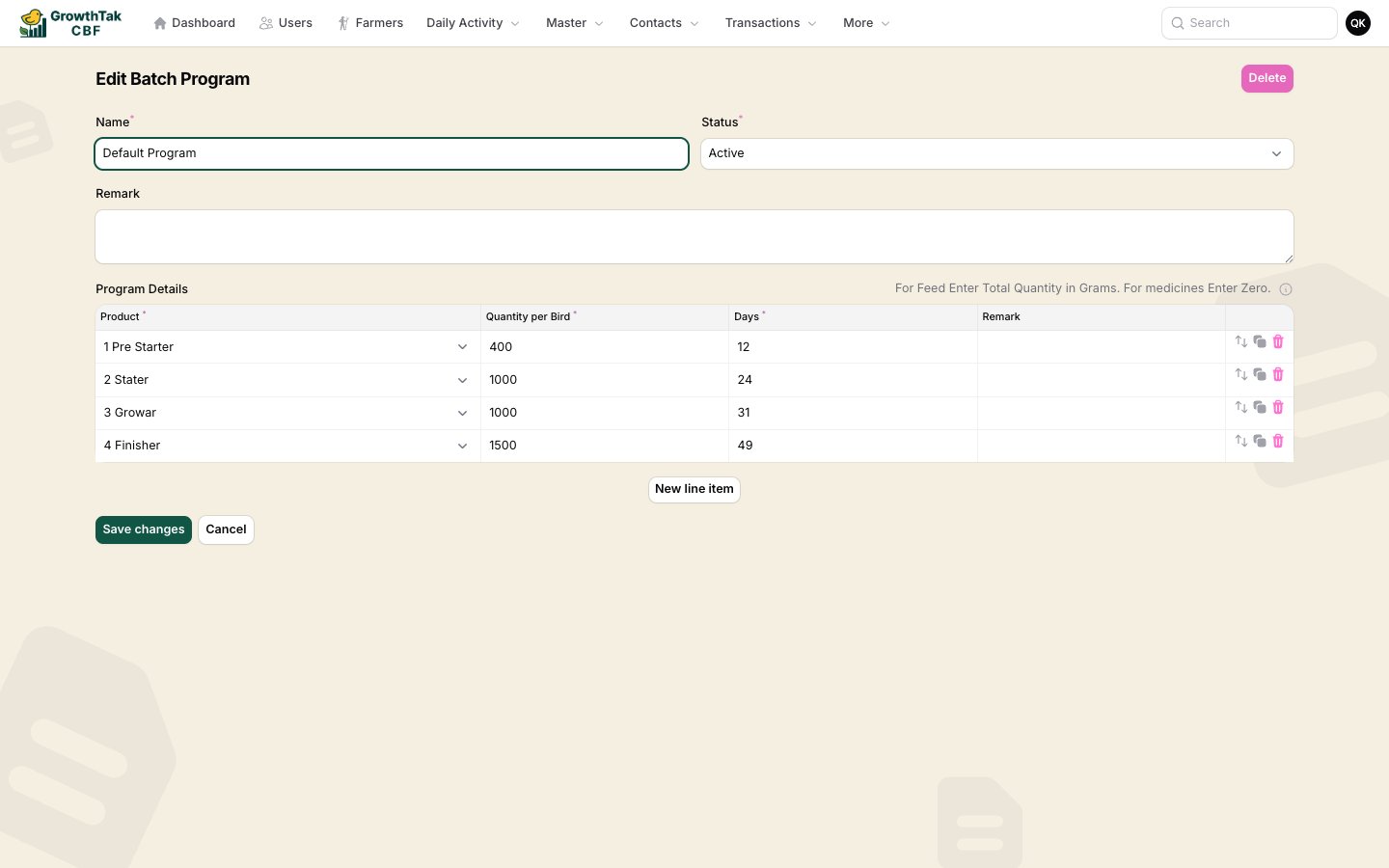
A batch program with its day-wise schedule.
Program details — one row per scheduled item:
The on-screen hint says it clearly: “For Feed enter total quantity in grams. For medicines enter zero.” Feed rows drive feed projection; medicine/vaccine rows drive the vaccination schedule and alerts.
Feed projection method
The Feed projection method decides how feed projection turns this program into a feed forecast for every batch that uses it. Both methods multiply a per-bird figure by the batch’s live bird count and are deterministic — there is no usage calibration.New programs default to Program quantity. With that method, every feed row must carry a Quantity per Bird greater than zero — the program won’t save until they do (medicine rows, which stay at 0, are exempt). Existing programs keep whatever method they already had.
How the program is used on a batch
When you create a batch you pick one program. After that:- The batch’s Projection tab forecasts feed demand using the program plus the batch’s feed lead time and safety stock days, and warns you when to reorder. See Feed projection.
- On each day entry, the Feed Type is pre-selected based on the program and the batch’s current age — the supervisor only changes it if a different feed was actually used.
- The batch’s Daily Schedule tab shows the program laid out against the flock’s calendar.