

The payment and loan reports appear only when the matching module is enabled in Company Settings.
These reports track money with your contacts — what’s been paid, what’s owed, and the underlying transactions.

Payment History Report

A ledger of payments to and from your contacts.
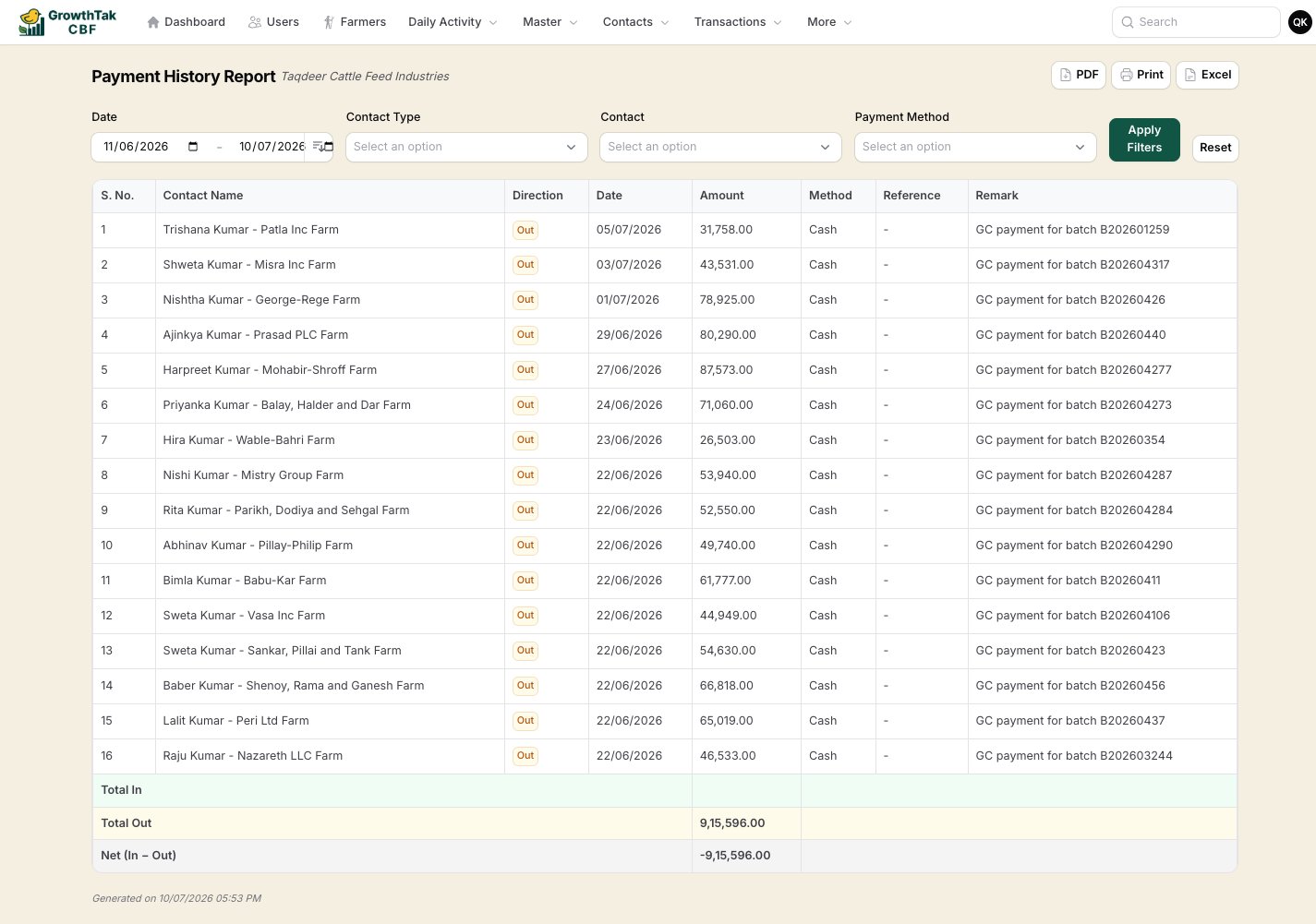
Payment history report
Each row shows the contact, direction (incoming/outgoing), date, amount, method, reference, any loan deduction, and the net amount. Filters: date range, contact type (farmer/supplier/trader), contact, payment method.

Loan Report

Per-farmer loan tracking — total loaned, total repaid, and the outstanding balance. Filter: farmer.

Outstanding Report

The payable/receivable position per contact — what you owe farmers/suppliers and what traders owe you. Filters: contact type, contact.
Totals here are split by direction (receivable vs payable) and shown with a net — receivables and payables are never added together, so the figures stay meaningful.

Farmer Ledger / Transaction Ledger Report

A complete transaction ledger — every transaction by type, amount, and date over a period — for auditing and reconciliation. Filters: date range, batch, type.
Use Outstanding for the big picture of who owes what, then drill into a contact with Payment History or the Loan Report for the line-by-line detail.